







What Is Istio and How Does It Work with Kubernetes?
Istio extends Kubernetes by providing a service mesh for enhanced security, traffic management, and observability without changing application code. It works by injecting Envoy proxy sidecar containers into Kubernetes pods, which intercepts network traffic. The Istio control plane configures these proxies, enabling features like mutual TLS (mTLS), advanced traffic routing, canary deployments, and detailed telemetry.
How Istio works with Kubernetes:
- Sidecar injection: When a pod is created, Istio automatically injects an Envoy proxy container into it. This proxy intercepts all incoming and outgoing network traffic to and from the application container within the pod.
- Data plane: The collection of Envoy proxies forms the data plane, which handles all service-to-service communication and collects telemetry data.
- Control plane: The Istio control plane configures the data plane proxies. It determines how traffic is routed, how security policies are enforced, and how telemetry is collected.
- Traffic management: Istio allows for advanced traffic routing, including A/B testing, canary deployments, and fault injection.
- Security: It automatically enforces mTLS encryption and can enforce authorization policies between services.
- Observability: Istio provides a central point for collecting and analyzing telemetry data like metrics, logs, and traces for all services in the mesh.
In this article:
- Benefits of Using Istio with Kubernetes
- Challenges When Running Istio on Kubernetes
- Deep Dive: How Istio Works with Kubernetes
- Migration and Traffic Flow Considerations When Introducing Istio
- Tutorial: Setting Up a Kubernetes Cluster in Istio
- Best Practices for Running Istio with Kubernetes
- Evaluation Criteria: Choosing the Right Approach for Istio in Kubernetes
Benefits of Using Istio with Kubernetes
Using Istio alongside Kubernetes unlocks capabilities that go beyond what Kubernetes provides on its own. Here are the core benefits:
- Consistent service-to-service networking: Istio ensures that communication between services is managed consistently across the cluster, regardless of how services are deployed or scaled.
- Uniform security controls (mTLS, identity, authorization): Istio enforces mutual TLS by default and provides fine-grained control over service identities and access policies, securing communication without requiring application changes.
- Advanced traffic management for reliability: It enables granular traffic routing, retries, timeouts, and circuit breakers, useful for progressive delivery patterns like canary and blue-green deployments.
- Deep observability into service communications: By capturing telemetry at the proxy level, Istio offers detailed metrics, logs, and distributed traces, making it easier to monitor and debug services.
- Better resilience in complex, distributed applications: Istio improves failure handling with built-in fault injection, automatic retries, and failover, helping applications recover gracefully from service-level issues.
Challenges When Running Istio on Kubernetes
While Istio offers powerful capabilities, it also introduces added complexity to Kubernetes environments:
- Increased resource consumption: Each Envoy sidecar consumes CPU and memory, which adds overhead to every pod. In large clusters, this can lead to significant resource usage, impacting node density and increasing infrastructure costs.
- Operational complexity: Istio introduces new components and abstractions such as virtual services, destination rules, and envoy filters. Managing these requires understanding a new domain model and adapting existing deployment workflows to accommodate mesh-specific configurations.
- Steep learning curve: Teams need to invest time to understand Istio’s architecture, configuration model, and interactions with Kubernetes. Misconfigurations can easily lead to traffic outages or degraded performance, especially in production environments.
- Debugging and troubleshooting: While Istio provides rich telemetry, it also adds layers of indirection that can complicate debugging. Issues might stem from proxy configuration, control plane behavior, or misaligned policies, requiring familiarity with multiple moving parts.
- Upgrade and compatibility concerns: Keeping Istio up to date is essential for security and stability, but upgrades can be complex due to frequent changes in APIs and component behavior. Compatibility between Istio versions and Kubernetes versions must be carefully managed.
Deep Dive: How Istio Works with Kubernetes
Sidecar Injection
Istio implements service mesh functionality by automatically injecting a sidecar proxy alongside each application pod in Kubernetes. This “sidecar” is typically an Envoy proxy, which intercepts all incoming and outgoing network traffic for its associated application container. Sidecar injection can be handled manually or automatically via Kubernetes admission controllers, reducing operational overhead and the risk of human error.
By deploying sidecar proxies, Istio decouples operational concerns such as security, observability, and traffic management from application code. The proxies mediate all network traffic for service-to-service interactions, ensuring that application developers do not need to implement service mesh logic.
Data Plane
The data plane is composed of the set of Envoy sidecar proxies deployed alongside each service instance. These proxies handle all ingress and egress traffic to and from their respective application pods. Data plane components operate transparently, intercepting and processing service requests based on configurations pushed by the control plane.
Within the data plane, proxies enforce security policies, collect telemetry data, and execute traffic management directives such as retries, circuit breaking, and fault injection. Since each request flows through an Envoy proxy, Istio delivers consistent networking, security, and observability capabilities irrespective of the application’s language or runtime.
Control Plane
The control plane in Istio configures and manages the behavior of the data plane. It consists of components such as Istiod, which distribute configuration and policy updates to the network of sidecar proxies. The control plane collects all mesh configuration (security policies, routing rules) and propagates them to the proxies in near real-time.
Istio’s control plane also integrates with Kubernetes APIs to maintain awareness of the cluster’s state, including service endpoints, labels, and namespaces. By centralizing policy definition and distribution, the control plane enables operators to manage complex microservices environments with precision and agility, minimizing configuration drift and human error.
Traffic Management
Istio delivers fine-grained traffic management tools for Kubernetes services, allowing operators to define sophisticated routing rules based on headers, weights, or other request attributes. This functionality enables deployment strategies including canary releases, staged rollouts, and intelligent load balancing. Traffic shifting can be performed seamlessly, supporting high availability during application upgrades without downtime.
Through VirtualServices and DestinationRules, Istio empowers users to configure routing behavior via declarative Kubernetes manifests. Developers can direct subsets of traffic to new versions, quickly roll back failed deployments, and shape traffic based on real-time conditions.
Security
Istio automates security for service-to-service communication by providing mutual TLS (mTLS) encryption as a baseline. It automates certificate management, ensuring that services inside the mesh authenticate each other and communicate over encrypted channels without developer involvement. This secures communication within the cluster, mitigating risks from internal threats and common attacks like man-in-the-middle.
Additionally, Istio supports flexible authorization policies and integrates with external identity providers. Operators can set up access control policies granular enough to permit or deny traffic based on identities or workloads, enforcing the principle of least privilege. This reduces attack surfaces, simplifies compliance, and improves the security posture of Kubernetes deployments.
Learn more in our detailed guide to Kubernetes security
Observability
Observability is a core feature of Istio, providing built-in telemetry through distributed tracing, logging, and metrics collection across all service interactions. Each sidecar proxy emits detailed data about requests, including timing, error rates, and traffic volumes. This foundational visibility accelerates troubleshooting by surfacing actionable insights into service dependencies and bottlenecks.
Integrating with popular monitoring stacks like Prometheus, Grafana, Jaeger, and Kiali, Istio enables operators to visualize mesh health, traffic flows, and security events in near-real time. This level of observability helps detect anomalies, trace service outages, and undertake root cause analysis without intrusive code changes to application workloads.
Migration and Traffic Flow Considerations When Introducing Istio
How Traffic Paths Change After Sidecar Injection
When Istio is introduced into a cluster, network traffic between services begins to flow through the Envoy sidecar proxies. Without sidecars, traffic moves directly between pods. With sidecars, all ingress and egress traffic is intercepted and handled by the local Envoy proxy. This change enables policy enforcement and observability but also introduces new points of failure and latency.
Outbound traffic from a pod is redirected through the sidecar using iptables rules injected by Istio. Inbound traffic also arrives at the sidecar first, which then forwards it to the application container. This shift in flow means any service-to-service communication is now mediated by both the source and destination proxies.
Network Behavior Differences Before and After Istio
Before Istio, services resolve DNS and communicate directly over Kubernetes-native networking. After Istio injection, the proxies handle DNS resolution (via Istio’s DNS capture) and enforce routing and security rules based on the mesh configuration. This can affect how applications see source IPs, request headers, or failure behaviors.
Timeouts, retries, and circuit-breaking logic are now influenced by Istio policies, not just application code. This can improve resilience, but may also conflict with existing application-level logic if not carefully aligned.
Mixed Environments (Mesh + Non-Mesh Workloads)
Istio supports communication between mesh and non-mesh workloads, but careful planning is needed. Mesh-injected pods can call non-mesh services directly, but the reverse is not true by default. Non-mesh workloads cannot resolve mesh-specific DNS or access services relying on sidecar-mediated policies unless ingress gateways or other bridging mechanisms are configured.
For partial mesh adoption, Istio’s autoInject label and peer authentication policies must be tuned to allow coexistence and safe interoperability between injected and non-injected namespaces.
Gradual Namespace Onboarding
Gradual onboarding is typically done by enabling sidecar injection one namespace at a time. This approach allows teams to verify service behavior and traffic flow under the mesh before scaling up adoption. Istio provides namespace-level labels (istio-injection=enabled) to automate sidecar injection.
During rollout, services may temporarily operate in a mixed mode, where some have sidecars and others do not. Ensuring stable communication and avoiding unintended denial of traffic requires appropriate authentication policies (e.g., PERMISSIVE mode) and testing of both mesh and non-mesh communication paths.
How to Avoid Traffic Misconfigurations
Misconfigurations during onboarding can disrupt traffic, especially when mTLS is enforced or routing rules are misapplied. Common pitfalls include:
- Enabling strict mTLS without ensuring all workloads have sidecars and valid certificates.
- Applying routing policies (e.g., subsets or weight-based routing) without matching DestinationRules.
- Missing or incorrect service entries for external services.
To reduce risk, adopt progressive rollout strategies, validate policies in staging environments, and use Istio tools like istioctl analyze to detect config issues early. Monitoring tools such as Kiali can also visualize traffic flow and help detect misrouted or dropped requests.
Tutorial: Setting Up a Kubernetes Cluster in Istio
This section walks through the steps required to set up a Kubernetes cluster with Istio for use in a tutorial environment. It assumes you have access to an existing Kubernetes cluster, such as on Google Kubernetes Engine or IBM Cloud Kubernetes Service. These instructions are adapted from the Istio documentation.
1. Create a Namespace
First, define a namespace that will isolate your tutorial resources. This helps avoid interference with other workloads.
export NAMESPACE=tutorial
kubectl create namespace $NAMESPACE
This command creates a new namespace called tutorial. You can replace the name with any value.
2. Install Istio with the Demo Profile
Install Istio in your cluster using the demo profile, which includes common components like Prometheus and Kiali.
istioctl install --set profile=demo -y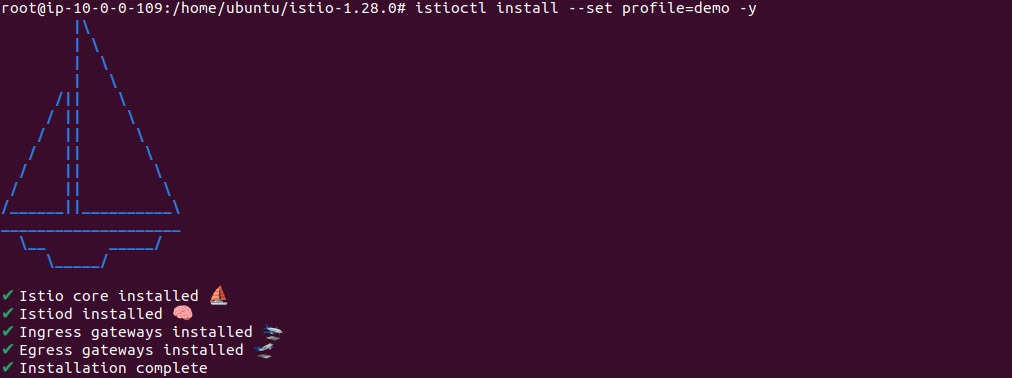
After installing Istio, deploy the sample addons:
kubectl apply -f samples/addonsIf this command fails, try running it again to resolve any startup timing issues.
3. Expose Observability Tools via Ingress
Create a Kubernetes Ingress resource to expose Istio’s observability tools such as Grafana, Jaeger, Prometheus, and Kiali.
kubectl apply -f - <<EOF
apiVersion: networking.k8s.io/v1
kind: Ingress
metadata:
  name: istio-system
  namespace: istio-system
  annotations:
    kubernetes.io/ingress.class: istio
spec:
  rules:
  - host: my-istio-dashboard.io
    http:
      paths:
      - path: /
        pathType: Prefix
        backend:
          service:
            name: grafana
            port:
              number: 3000
  - host: my-istio-tracing.io
    http:
      paths:
      - path: /
        pathType: Prefix
        backend:
          service:
            name: tracing
            port:
              number: 9411
  - host: my-istio-logs-database.io
    http:
      paths:
      - path: /
        pathType: Prefix
        backend:
          service:
            name: prometheus
            port:
              number: 9090
  - host: my-kiali.io
    http:
      paths:
      - path: /
        pathType: Prefix
        backend:
          service:
            name: kiali
            port:
              number: 20001
EOF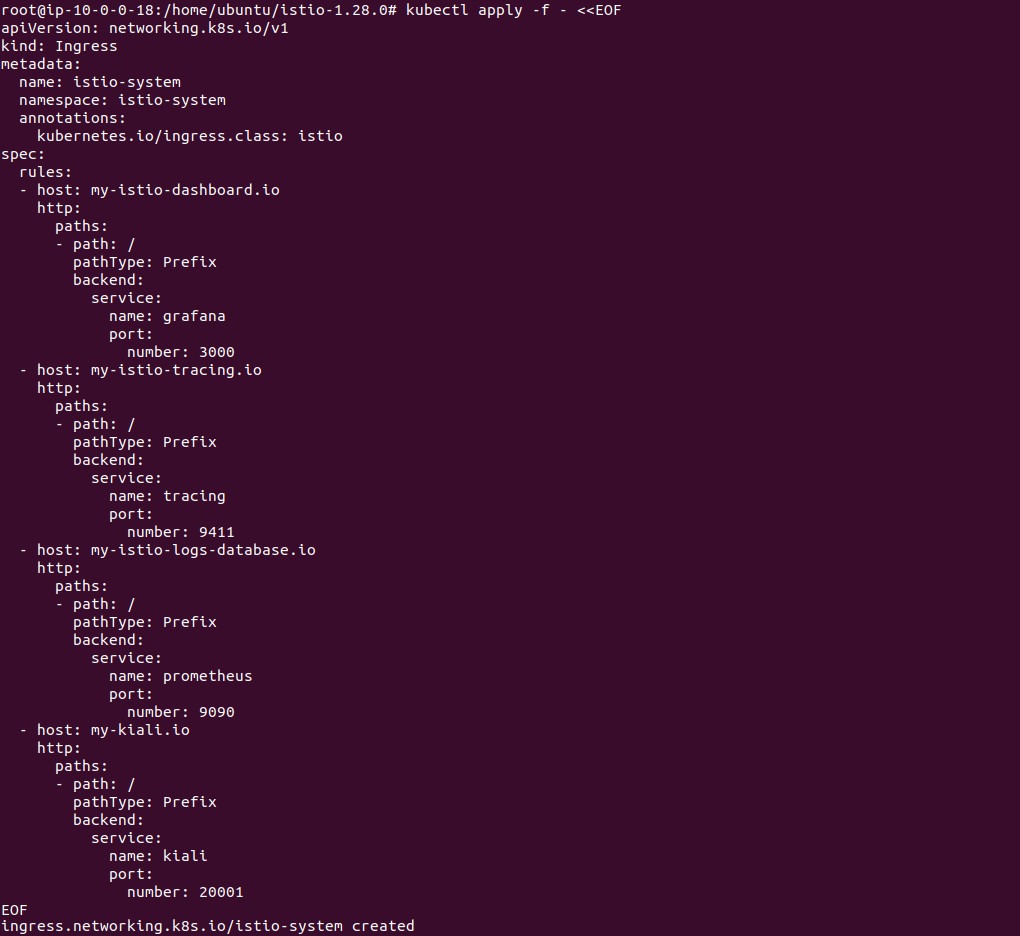
These routes allow you to access the observability tools through predictable domain names.
4. Set Up Access Controls
To ensure secure, scoped access, apply roles and service accounts.
Grant read access to the istio-system namespace:
kubectl apply -f - <<EOF
kind: Role
apiVersion: rbac.authorization.k8s.io/v1
metadata:
  name: istio-system-access
  namespace: istio-system
rules:
- apiGroups: ["", "extensions", "apps"]
  resources: ["*"]
  verbs: ["get", "list"]
EOF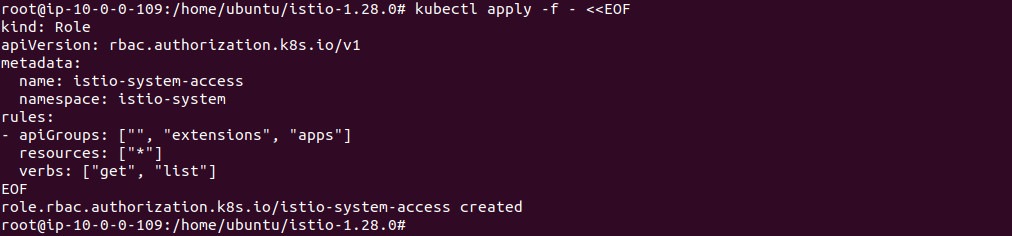
Create a service account for your namespace:
kubectl apply -f - <<EOF
apiVersion: v1
kind: ServiceAccount
metadata:
  name: ${NAMESPACE}-user
  namespace: $NAMESPACE
EOF
Set up role-based access control (RBAC) for the user:
kubectl apply -f - <<EOF
kind: Role
apiVersion: rbac.authorization.k8s.io/v1
metadata:
  name: ${NAMESPACE}-access
  namespace: $NAMESPACE
rules:
- apiGroups: ["", "extensions", "apps", "networking.k8s.io", "networking.istio.io", "authentication.istio.io",
              "rbac.istio.io", "config.istio.io", "security.istio.io"]
  resources: ["*"]
  verbs: ["*"]
---
kind: RoleBinding
apiVersion: rbac.authorization.k8s.io/v1
metadata:
  name: ${NAMESPACE}-access
  namespace: $NAMESPACE
subjects:
- kind: ServiceAccount
  name: ${NAMESPACE}-user
  namespace: $NAMESPACE
roleRef:
  apiGroup: rbac.authorization.k8s.io
  kind: Role
  name: ${NAMESPACE}-access
---
kind: RoleBinding
apiVersion: rbac.authorization.k8s.io/v1
metadata:
  name: ${NAMESPACE}-istio-system-access
  namespace: istio-system
subjects:
- kind: ServiceAccount
  name: ${NAMESPACE}-user
  namespace: $NAMESPACE
roleRef:
  apiGroup: rbac.authorization.k8s.io
  kind: Role
  name: istio-system-access
EOF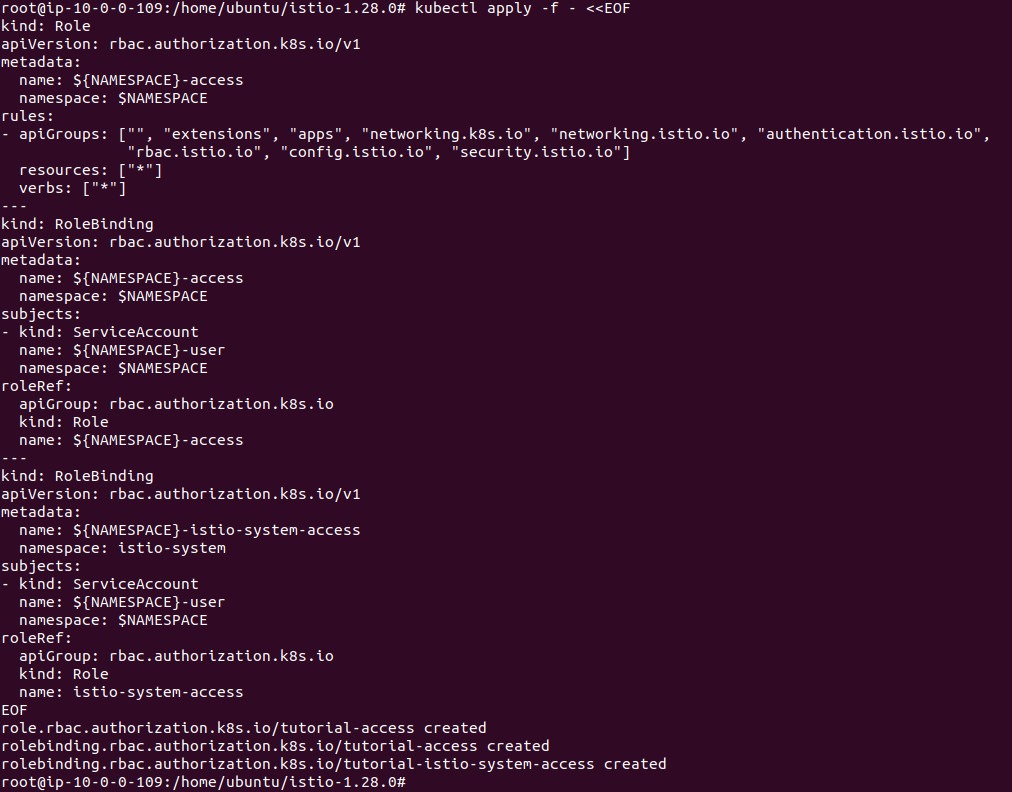
This setup allows your service account to manage resources in its namespace and view monitoring data from Istio.
5. Generate a Kubernetes Configuration File
Generate a kubeconfig file for your namespace’s service account. Replace tutorial-cluster if your cluster has a different name.
kubectl apply -f - <<EOF
apiVersion: v1
kind: Secret
metadata:
  name: ${NAMESPACE}-user-token
  namespace: $NAMESPACE
  annotations:
    kubernetes.io/service-account.name: ${NAMESPACE}-user
type: kubernetes.io/service-account-token
EOF
cat <<EOF > ./${NAMESPACE}-user-config.yaml
apiVersion: v1
kind: Config
preferences: {}
clusters:
- cluster:
    certificate-authority-data: $(kubectl get secret ${NAMESPACE}-user-token -n $NAMESPACE -o jsonpath='{.data.ca\.crt}')
    server: $(kubectl config view --minify -o jsonpath='{.clusters[0].cluster.server}')
  name: ${NAMESPACE}-cluster
users:
- name: ${NAMESPACE}-user
  user:
    token: $(kubectl get secret ${NAMESPACE}-user-token -n $NAMESPACE -o jsonpath='{.data.token}' | base64 --decode)
contexts:
- context:
    cluster: ${NAMESPACE}-cluster
    namespace: ${NAMESPACE}
    user: ${NAMESPACE}-user
  name: ${NAMESPACE}
current-context: ${NAMESPACE}
EOF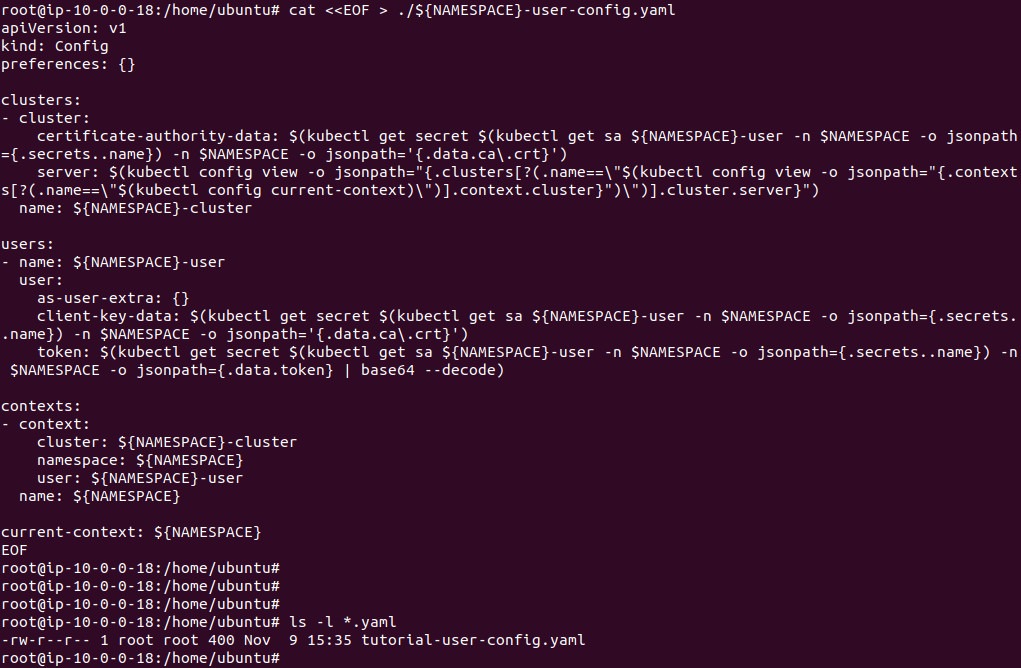
This file allows kubectl authenticate as the service account using the token created above.
Check that it works
kubectl auth can-i create deployments
kubectl get pods -n istio-system
6. Use the Configuration File
Set the KUBECONFIG environment variable to use your new kubeconfig:
export KUBECONFIG=$PWD/${NAMESPACE}-user-config.yamlVerify that it’s pointing to the correct namespace:
kubectl config view -o jsonpath="{.contexts[?(@.name==\"$(kubectl config current-context)\")].context.namespace}"Expected output:
tutorial
   kubectl auth can-i create deployments
   kubectl get pods -n istio-system
At this point, your Kubernetes cluster is set up with Istio, including observability tools, namespace isolation, and scoped access control. You are ready to deploy applications into the service mesh and begin experimenting with Istio’s features.
Best Practices for Running Istio with Kubernetes
Here are some of the ways that organizations can ensure effective use of the Istio service mesh in a Kubernetes environment.
1. Optimize Resource Utilization
When deploying Istio in production, optimizing resource allocation for sidecar proxies and control plane components is critical. Default resource requests for Istio, especially for Envoy sidecar proxies, can be higher than for typical application containers, potentially straining cluster nodes. Carefully benchmark the CPU and memory usage under real workloads before setting conservative resource requests and limits for both sidecars and Istio control plane pods.
Regularly review resource consumption metrics via Kubernetes monitoring tools and adjust allocations as your cluster workload evolves. Right-sizing resources minimizes infrastructure costs and avoids eviction of critical service mesh components due to resource starvation, providing a healthy balance between system stability and operational overhead.
2. Use Declarative Configuration with GitOps
Adopt declarative configuration for Istio resources using Kubernetes Custom Resource Definitions (CRDs) managed through source control systems like Git. This allows teams to track, audit, and version all changes to service mesh configuration, reducing the chance of errors and drift. Using CI/CD tools, updates to manifests can be tested and automatically deployed following approval workflows.
Implementing GitOps practices for Istio mesh configuration ensures reliable, repeatable, and traceable changes that match the desired state specified in your repositories. Rollbacks are straightforward and audit trails are built in, improving both collaboration and operational governance across multiple teams working with the mesh.
3. Enforce Zero Trust by Default
A zero trust security model is essential for modern cloud-native environments. In Istio, enable mutual TLS and enforce strict authentication and authorization policies from the outset. Ensure all inter-service traffic is both authenticated and encrypted within the mesh, minimizing lateral movement and protecting sensitive data even from compromised workloads.
Evolve authorization policies to leverage identity-based access controls, making them as granular as possible for sensitive namespaces or workloads. Continuously review service-to-service policies to ensure the principle of least privilege and compliance with organizational or regulatory standards, reducing overall security risk and attack surface.
4. Monitor Mesh Health Continuously
Continuous monitoring is vital for maintaining Istio mesh health in production environments. Collect and visualize metrics on service latency, error rates, proxy resource consumption, and mesh component status using tools such as Prometheus, Grafana, and Kiali. Establish alerts for out-of-threshold conditions, ensuring prompt detection and resolution of performance issues or failures.
Periodically validate alerting configurations and test incident response runbooks for mesh-related outages or degradations. By maintaining a robust observability stack, teams can quickly triage real-world incidents, minimize service disruption, and proactively optimize mesh operations as applications scale.
5. Automate Testing for Configuration Changes
Configuration changes in Istio can significantly affect traffic flow, security, and application health. To prevent regressions or outages, implement automated testing pipelines that validate policy and routing changes before promotion to production. Continuous integration tests should validate configuration syntax and simulate live traffic under new routing rules.
Adopt canary or staged rollouts for mesh configuration updates, allowing changes to be safely tested in controlled environments. Integrate automated rollback mechanisms in case of deployment failures or adverse impacts, ensuring high reliability and rapid recovery from configuration errors in mission-critical clusters.
Evaluation Criteria: Choosing the Right Approach for Istio in Kubernetes
Before adopting Istio, it’s important to assess how its features align with your technical goals, team capabilities, and operational constraints. Here are key evaluation criteria to guide your decision-making:
- Application complexity and communication patterns: Istio is most beneficial for microservices architectures where services communicate frequently and require fine-grained traffic control, observability, and security. For simpler applications or monoliths, the operational overhead may outweigh the benefits.
- Team expertise and operational readiness: Consider your team’s familiarity with service mesh concepts, Kubernetes networking, and Istio-specific constructs. A steep learning curve may slow down adoption if adequate training and tooling are not in place.
- Security and compliance requirements: If your environment demands strict inter-service authentication, encryption (mTLS), and access control policies, Istio offers built-in capabilities to enforce zero trust models and meet compliance standards.
- Traffic management needs: Evaluate whether your deployment strategy requires granular routing, such as A/B testing, canary deployments, or failover logic. Istio excels in complex traffic shaping scenarios but adds configuration complexity.
- Observability requirements: If deep visibility into service communication and performance metrics is a priority, Istio’s built-in telemetry features can be valuable, especially in debugging production incidents and monitoring SLAs.
- Infrastructure capacity and cost sensitivity: Assess the resource overhead introduced by sidecars and control plane components. In high-density or cost-sensitive environments, this overhead may require careful tuning or may favor lighter-weight alternatives.
- Integration with existing tooling: Ensure Istio fits well with your existing CI/CD, monitoring, and security tooling. Consider whether integration gaps exist or whether adopting Istio would simplify or complicate existing workflows.
- Gradual adoption strategy: Determine if a phased rollout is feasible. Istio supports incremental adoption (e.g., namespace by namespace), which allows for testing and tuning before full-scale deployment.
Use these criteria to identify whether Istio provides a clear technical advantage for your use case or whether lighter service mesh alternatives or native Kubernetes features may suffice.
How Tigera Complements Istio in Kubernetes with Unified Security and Deep Traffic Visibility
While an Istio Ingress Gateway provides robust Layer 7 control at the edge, a truly production-grade microservices architecture requires a security posture that extends deep into the networking layer. This is where Calico provides the critical foundation that Istio needs to deliver a complete, zero-trust environment.
Bridging the Gap Between Layer 3 and Layer 7
Istio excels at application-level traffic management, but it relies on the underlying Container Network Interface (CNI) to handle the actual plumbing of the cluster. Calico complements Istio by providing:
- Unified Policy Enforcement: Calico allows you to define security policies that span from the network layer (IPs and ports) to the service level (identities and paths). This “defense-in-depth” approach ensures that even if a high-level proxy is bypassed, your north-south and east-west traffic remains protected by kernel-level enforcement.
- High-Performance Load Balancing: While Istio handles application-level load balancing, Calico optimizes the data plane using eBPF. This ensures that packets reach the Istio Ingress Gateway with minimum latency and maximum throughput, reducing the “sidecar tax” often associated with service meshes.
- Istio Ambient Mode Support: As discussed in our tutorials, managing sidecars can be complex. Calico is uniquely designed to support Istio Ambient Mode, providing a sidecarless experience that simplifies operational overhead while maintaining the granular security Istio is known for.
- Advanced Egress Control: Istio manages service-to-service communication, but Calico provides the DNS-based policy enforcement needed to secure traffic leaving the cluster to external APIs or legacy databases, preventing data exfiltration at the source.
Full-Stack Observability
By combining Calico with Istio, platform teams gain a “single pane of glass” for troubleshooting. While Istio provides traces and application metrics, Calico provides the flow logs and raw network data needed to identify if a performance bottleneck is occurring at the application code level or within the Kubernetes network fabric itself.
Next Steps & Deep Dives
To learn more about optimizing your Istio and Calico environment, explore these resources:
- Sidecarless Efficiency: Read An In-Depth Look at Istio Ambient Mode with Calico to see how to run a mesh without the overhead.
- Security Architecture: Explore our guide on Service Mesh with eBPF to understand how the underlying data plane impacts your security.



