







Introduction to Istio Gateways
What Is an Istio Gateway?
An Istio Gateway is a Kubernetes resource that manages inbound and outbound traffic for your services running inside a Kubernetes cluster. It functions as an entry or exit point without directly handling traffic routing to services. Instead, it works alongside virtual services for that. The Gateway specifies ports, protocols, and hostnames that should be exposed.
Think of it as a traffic control tower that handles configuration for how traffic enters or leaves the mesh but doesn’t dictate which application ultimately gets the request. The Istio Gateway resource provides a consistent way to control traffic at the edge of your mesh, independent of the underlying ingress controller implementation (such as Envoy).
By separating gateway configuration from service-specific routing rules, Istio enables better separation of concerns. You can define how your services are exposed to external traffic using Gateway resources and then use VirtualService and DestinationRule resources for granular routing and policy implementation.
Why Gateways Matter in Istio
Istio Gateways aid in defining how traffic enters and exits the service mesh. They are critical for enforcing security, scaling traffic handling, and maintaining flexibility in routing. Here’s why they matter:
- Control over ingress and egress traffic: Gateways allow you to define which ports, protocols, and hosts are exposed, giving you control over how traffic flows into and out of your mesh.
- Decoupled configuration: Gateways separate edge traffic management from service-level routing, enabling independent updates and clearer responsibilities between infrastructure and application teams.
- Support for features: They enable TLS termination, HTTP to HTTPS redirection, and SNI-based routing without requiring changes to application-level configurations.
- Integration with virtual services: Gateways work with VirtualService resources, enabling precise control over how requests are routed once they enter the cluster.
- Scalability and flexibility: Because Gateways are implemented using high-performance proxies like Envoy, they can handle large volumes of traffic and adapt to various deployment patterns and architectures.
In this article:
- Key Benefits of Using Istio Gateways
- How Istio Gateway Works
- Key Challenges with Istio Gateways
- Migration and Traffic Flow Considerations
- Tutorial #1: Installing and Managing Istio Gateway Independently from Istio Control Plane
- What Is Istio Ingress Gateway?
- Tutorial #2: Configuring Istio Ingress Gateway
- What Is Istio Egress Gateway?
- Tutorial #3: Deploy Istio Egress Gateway
- Evaluation Criteria: How to Choose the Right Gateway Approach for Your Environment
Key Benefits of Using Istio Gateways
Istio Gateways offer several key advantages when managing service mesh traffic in Kubernetes environments. They aid in controlling how traffic is exposed and routed at the network edge. Benefits include:
- Centralized traffic management: Gateways provide a single point to manage ingress and egress settings across multiple services, simplifying the configuration of external access policies.
- Enhanced security controls: With support for TLS termination and SNI routing, Gateways allow secure communication without pushing TLS configuration to individual services.
- Separation of concerns: By decoupling edge traffic handling (Gateways) from application routing logic (VirtualService), teams can manage infrastructure and service behavior independently.
- Support for advanced routing use cases: Gateways work seamlessly with VirtualServices to enable traffic shaping, A/B testing, and blue-green deployments without modifying application code.
- High availability and scalability: Since Gateways are powered by Envoy, they are designed to handle high volumes of traffic and can be scaled independently of application workloads.
- Consistent policy enforcement: Gateways allow consistent implementation of policies such as rate limiting, authentication, and traffic mirroring at the mesh boundary.
- Flexible deployment options: Gateways can be deployed at cluster edges, between meshes, or in front of specific namespaces, supporting various network topologies.
How Istio Gateway Works
An Istio Gateway configures a load balancer to handle inbound or outbound traffic at the edge of the mesh. It defines the network-level settings, such as ports, protocols, and hostnames, that determine how the proxy should accept traffic. However, it doesn’t define routing logic to specific services. That responsibility is delegated to other Istio resources like VirtualService.
The Gateway resource includes a selector field that identifies the set of proxy pods (typically Envoy) to which the configuration applies. Each server block inside the specification defines a port, the protocol it will handle (such as HTTP, HTTPS, or TCP), and the list of hostnames it will serve. TLS settings can be configured per server, allowing HTTPS support, redirection from HTTP to HTTPS, and SNI-based routing.
For example, a single Gateway might expose several ports: 80 and 9080 for HTTP, 443 and 9443 for HTTPS, and 2379 for TCP-based traffic. Each server entry within the Gateway defines the port number, protocol, and accepted hostnames, along with optional TLS configuration like certificates or Kubernetes secrets.
It’s important to note that while the Gateway instructs Envoy to listen on these ports, users must ensure that the Kubernetes cluster allows traffic through those ports externally. Once the Gateway is in place, a VirtualService can be attached to define how to route incoming requests to the correct internal service based on rules such as path, headers, or hostname.
Related content: Read our guide to Istio Kubernetes
Tips from the Expert
In my experience, here are tips that can help you better implement and secure Istio Gateways (both ingress and egress) in production Kubernetes environments:
Use separate gateways for TLS passthrough and termination:
Avoid mixing TLS termination (where Envoy handles the certs) and passthrough (where the backend handles TLS) in the same Gateway resource. Use dedicated gateways per mode to simplify troubleshooting and security posture validation.
Create namespace-bound Gateway deployments for zero trust zoning:
Instead of using a shared ingress or egress gateway cluster-wide, deploy one per namespace or trust zone. This allows scoped mTLS, policy enforcement, and domain whitelisting at the zone boundary, essential for regulated or multi-tenant environments.
Pin critical gateways to specific nodes with taints and tolerations:
Prevent unexpected scheduling of gateway pods by using node selectors or taints/tolerations to run them only on hardened nodes with tighter security profiles, higher network bandwidth, and minimal workload wcontention.
Rotate TLS certs via Kubernetes Secrets + SDS integration:
Use Istio's Secret Discovery Service (SDS) to dynamically reload certificates stored in Kubernetes Secrets. This enables seamless TLS cert rotation without redeploying or restarting the gateway.
Implement external health checks with static IP allowlists:
For public ingress gateways, ensure the health check path (e.g., /healthz) is only accessible to your load balancer or trusted IPs. Exposing it unauthenticated can become a weak point for service enumeration or DoS.

Key Challenges with Istio Gateways
While Istio Gateways provide capabilities for traffic management, they also introduce operational and architectural complexities. Here are some of the common challenges users face:
- Complex configuration management: Configuring Gateways alongside VirtualServices and DestinationRules can be error-prone. Misconfigurations in any component can lead to traffic not flowing as expected.
- Debugging traffic flow: Diagnosing issues with traffic routing often requires deep visibility into Envoy configuration and Istio’s internal state, which can be difficult for teams unfamiliar with Istio’s architecture.
- Performance overhead: Gateways introduce an additional layer in the network path. Improper configuration or resource limitations can lead to latency or bottlenecks, especially under high traffic loads.
- Resource consumption: Because Gateways rely on Envoy proxies, they can consume significant CPU and memory resources, especially in large-scale deployments or when handling complex routing rules.
- TLS management complexity: While Gateways support TLS termination, managing certificates (e.g., rotation, renewal, storage) securely and reliably adds operational overhead.
- Limited observability out of the box: Default metrics and logs may not provide enough detail to troubleshoot advanced routing issues or performance degradation, requiring integration with observability tools.
- Version compatibility and upgrades: Gateway behavior can change between Istio versions, making upgrades risky if configurations rely on deprecated or modified features.
Migration and Traffic Flow Considerations
Migrating from traditional Kubernetes Ingress resources to Istio Gateways involves changes not only in configuration syntax but also in traffic handling behavior. Below are key considerations to ensure a smooth transition:
- Migrating from classic ingress to istio gateway: Start by mapping existing Ingress definitions to corresponding Istio Gateway and VirtualService resources. Pay special attention to path matching, TLS settings, and annotations, which may not translate directly. Validate new configurations in staging before deploying to production.
- Hybrid environments: During migration, you might run both classic Ingress and Istio Gateways concurrently. Use namespace-level segmentation or separate load balancers to avoid conflicts. Clearly document which services are handled by each ingress model to maintain clarity during the transition.
- Visualizing traffic flows during migration: Use observability tools like Kiali, Prometheus, and Grafana to track changes in traffic patterns. Enable access logs and request tracing in Envoy proxies to confirm that traffic is routed correctly under the new Gateway configurations.
- Avoiding misconfigurations that break traffic: Implement validation tools like istioctl analyze and CI/CD linting to catch errors early. Common pitfalls include port mismatches, incorrect hostnames, or missing route definitions. Test edge cases and fallback behaviors during rollout.
- Security posture continuity during changes: Ensure that TLS settings, authentication policies, and rate limits are preserved or enhanced during migration. Use peer authentication and authorization policies to enforce mesh-wide security even while gradually shifting traffic to Gateways.
Tutorial #1: Installing and Managing Istio Gateway Independently from Istio Control Plane
This section walks through the recommended steps to install and manage Istio Gateways independently from the Istio control plane, focusing on production-ready setups using the IstioOperator API and istioctl.
Instructions in this and the following tutorial are adapted from the Istio documentation.
1. Install Istio Without a Gateway
To decouple gateway deployment from the control plane, start by installing Istio using the minimal profile. This prevents any gateways from being installed by default:
istioctl install --set profile=minimal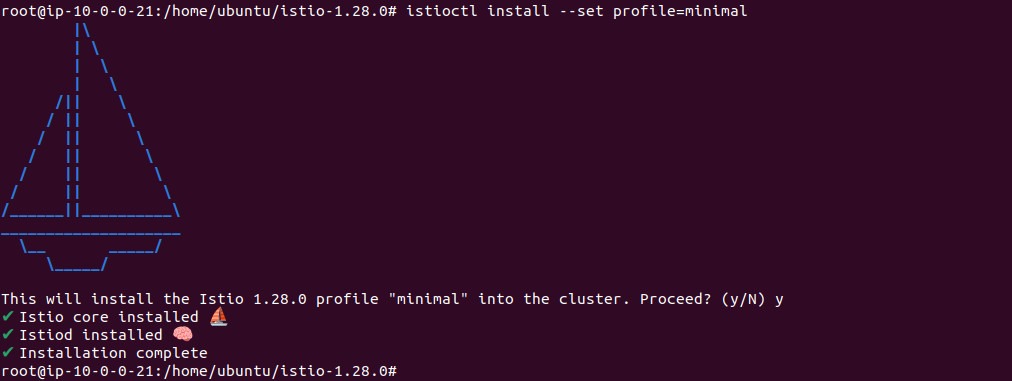
This installs only the core control plane components, allowing you to deploy and manage gateways separately.
2. Create an IstioOperator Configuration for the Gateway
Next, define an IstioOperator configuration file (e.g., ingress.yaml) to specify the gateway deployment. This uses the empty profile to avoid installing the control plane again and enables injection for the ingress gateway:
apiVersion: install.istio.io/v1alpha1
kind: IstioOperator
metadata:
  name: ingress
spec:
  profile: empty  # Skip control plane installation
  components:
    ingressGateways:
    - name: istio-ingressgateway
      namespace: istio-ingress
      enabled: true
      label:
        istio: ingressgateway  # Label used for Gateway selector
  values:
    gateways:
      istio-ingressgateway:
        injectionTemplate: gateway  # Enable auto-injection
This configuration defines a dedicated ingress gateway in the istio-ingress namespace, with a custom label required for Gateway selectors.
Please note: CRDs (IstioOperator) must be installed before attempting to execute ingress.yaml installation.
3. Deploy the Gateway
Create the target namespace and deploy the gateway using istioctl:
kubectl create namespace istio-ingress
istioctl install -f ingress.yaml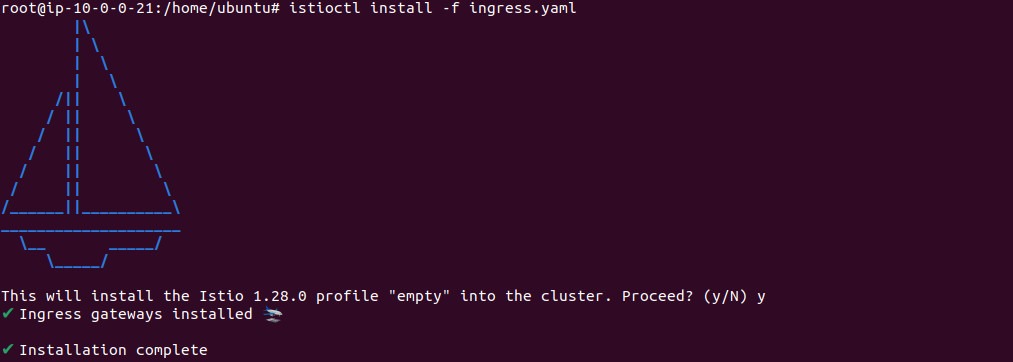
Important: Ensure the namespace does not have the istio-injection=disabled label. If it does, auto-injection will fail, and gateway pods may not start correctly.
4. Define the Gateway Resource
Now, create a Gateway resource that selects the deployed ingress gateway using the matching label:
apiVersion: networking.istio.io/v1
kind: Gateway
metadata:
  name: example-gateway
  namespace: istio-ingress
spec:
  selector:
    istio: ingressgateway  # Must match the gateway pod label
  servers:
  - port:
      number: 80
      name: http
      protocol: HTTP
    hosts:
    - "example.com"
Please store the above code in a file called gateway.yaml. Run the following command to create the gateway.
kubectl apply -f gateway.yaml
This instructs Envoy to listen on port 80 for HTTP traffic to example.com, but actual request routing is still handled separately via a VirtualService.
5. Managing and Updating Gateways
Gateways can be updated just like sidecars: apply changes and restart the pods. Because injection is used, restarting the pods will automatically pick up any updated configuration.
kubectl rollout restart deployment istio-ingressgateway -n istio-ingress
This makes upgrades and configuration changes manageable and consistent with the Istio sidecar model.
6. Deployment Topologies
Istio supports multiple gateway deployment models:
- Shared gateway: A central ingress gateway shared across many services or namespaces. Useful when applications share TLS certificates or domain settings.
- Dedicated application gateway: An ingress gateway dedicated to a single namespace or application. Provides isolation and control, but may require separate IPs and DNS entries.
Choose a topology that aligns with your team structure, security requirements, and network policies.
This setup enables fine-grained, scalable, and maintainable gateway deployments in Istio-based environments, suitable for production use.
What Is Istio Ingress Gateway?
The Istio Ingress Gateway is a deployment of the Gateway resource designed to handle external traffic entering the service mesh. It typically runs as a Kubernetes Deployment and Service, exposing selected ports to receive inbound connections from clients outside the cluster.
While the Gateway resource defines the configuration, the Ingress Gateway is the actual istio-proxy (Envoy) instance that receives, terminates, and processes external HTTP, HTTPS, or TCP connections at the cluster edge. Unlike Kubernetes’ native Ingress controller, Istio Ingress Gateway supports traffic management features, such as intelligent routing, fault injection, retries, and circuit breaking, thanks to deep integration with Istio’s control plane.
This enables you to enforce consistent security, routing, and observability policies for all incoming traffic, regardless of how it is distributed at the edge. The Ingress Gateway can be combined with VirtualServices to route traffic to multiple backend services according to rules you define.
Tutorial #2: Configuring Istio Ingress Gateway
This tutorial shows how to expose a service inside the Istio service mesh to external traffic using an Istio Gateway and VirtualService. It demonstrates setting up the httpbin sample application, defining ingress rules, and verifying access from outside the cluster.
1. Deploy the Target Service
Start by deploying the httpbin sample service. This service provides HTTP request/response testing endpoints and will act as the destination for ingress traffic:
kubectl apply -f samples/httpbin/httpbin.yaml
This creates the httpbin service and associated deployment in your cluster. The service can be inside or outside of the mesh: sidecar injection is optional for this example.
2. Define an Istio Gateway Resource
Next, create a Gateway resource to allow traffic into the mesh on port 80 for the domain httpbin.example.com. This resource instructs Envoy to listen on HTTP and accept requests for the specified host:
apiVersion: networking.istio.io/v1
kind: Gateway
metadata:
  name: httpbin-gateway
spec:
  selector:
    istio: ingressgateway  # Matches the ingress gateway pod label
  servers:
  - port:
      number: 80
      name: http
      protocol: HTTP
    hosts:
    - "httpbin.example.com"
Apply it with:
kubectl apply -f httpbin-gateway.yaml
This creates a gateway listener but does not define any routing behavior yet.
3. Create a VirtualService to Route Traffic
The VirtualService defines routing rules for requests received through the Gateway. The example below routes requests for /status and /delay to the httpbin service on port 8000:
apiVersion: networking.istio.io/v1
kind: VirtualService
metadata:
  name: httpbin
spec:
  hosts:
  - "httpbin.example.com"
  gateways:
  - httpbin-gateway
  http:
  - match:
    - uri:
        prefix: /status
    - uri:
        prefix: /delay
    route:
    - destination:
        host: httpbin
        port:
          number: 8000
Apply it with:
kubectl apply -f httpbin-virtualservice.yaml
This configuration ensures that only traffic matching the specified paths and host, and arriving via the defined Gateway, will be routed to the httpbin service.
4. Determine the Ingress IP and Port
Istio’s ingress gateway is exposed as a LoadBalancer service. To retrieve its IP and port values, set the following environment variables:
export INGRESS_NAME=istio-ingressgateway
export INGRESS_NS=istio-system
export INGRESS_HOST=(kubectl -n "$INGRESS_NS" get service "$INGRESS_NAME" -o jsonpath='{.status.loadBalancer.ingress[0].ip}')
export INGRESS_PORT=(kubectl -n "$INGRESS_NS" get service "$INGRESS_NAME" -o jsonpath='{.spec.ports[?(@.name=="http2")].port}')
If you’re using a platform like Minikube that doesn’t support external load balancers, you can run minikube tunnel or use node ports instead. You can use the following command:
minikube tunnel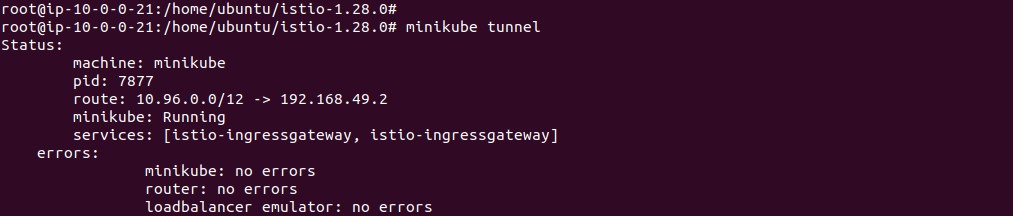
5. Test Ingress Access
Use curl to verify that external traffic is reaching your service. The -H flag is required to set the Host header because the Gateway matches on this field:
curl -s -I -HHost:httpbin.example.com "http://$INGRESS_HOST:$INGRESS_PORT/status/200"
Expected output:
HTTP/1.1 200 OK
...
server: istio-envoy
Try accessing a path not defined in the VirtualService:
curl -s -I -HHost:httpbin.example.com "http://$INGRESS_HOST:$INGRESS_PORT/headers"This returns:
HTTP/1.1 404 Not Found
Only explicitly allowed paths and hosts are routed.
6. Optional: Enable Browser-Based Testing
Since browsers don’t allow setting the Host header directly, modify the Gateway and VirtualService to match all hosts using the wildcard *. For example:
# Modified Gateway and VirtualService
hosts:
- "*"
This allows you to access the service using a browser at http://$INGRESS_HOST:$INGRESS_PORT/headers.
What Is Istio Egress Gateway?
The Istio Egress Gateway is a deployment used to manage and control outbound traffic leaving the mesh. By default, in Istio, internal service-to-external calls can bypass the mesh, which limits visibility and control. Deploying an Egress Gateway allows external traffic, such as API calls or access to external databases, to be routed through a managed proxy.
This enables logging, analytics, traffic policies, and enhanced security controls for all outbound traffic. With an Egress Gateway in place, you can enforce traffic egress rules, such as restricting which external domains services in your mesh can contact, mandating TLS for specific destinations, and monitoring all outgoing requests for compliance or auditing purposes.
The Egress Gateway is typically deployed as a separate Envoy proxy, and rules are attached to it using VirtualService and ServiceEntry resources to specify routing and access policies for external services.
Tutorial #3: Deploy Istio Egress Gateway
This tutorial shows how to configure an Istio Egress Gateway to control and monitor traffic leaving the mesh. Instead of letting sidecar proxies call external services directly, traffic is routed through a dedicated Envoy proxy (egress gateway), enabling policies, observability, and secure outbound communication.
1. Deploy the Test Source Pod
Start by deploying a simple client pod with curl installed, which will be used to send external requests:
kubectl apply -f samples/curl/curl.yaml
Set the SOURCE_POD variable to the name of the curl pod for later use:
export SOURCE_POD=$(kubectl get pod -l app=curl -o jsonpath={.items..metadata.name})
You can print the value of $SOURCE_POD for debugging purposes. Use the following command:
echo $SOURCE_POD
2. Enable Access Logging (Optional but Recommended)
To view traffic handled by the egress gateway, ensure access logging is enabled:
istioctl install --set meshConfig.accessLogFile=/dev/stdout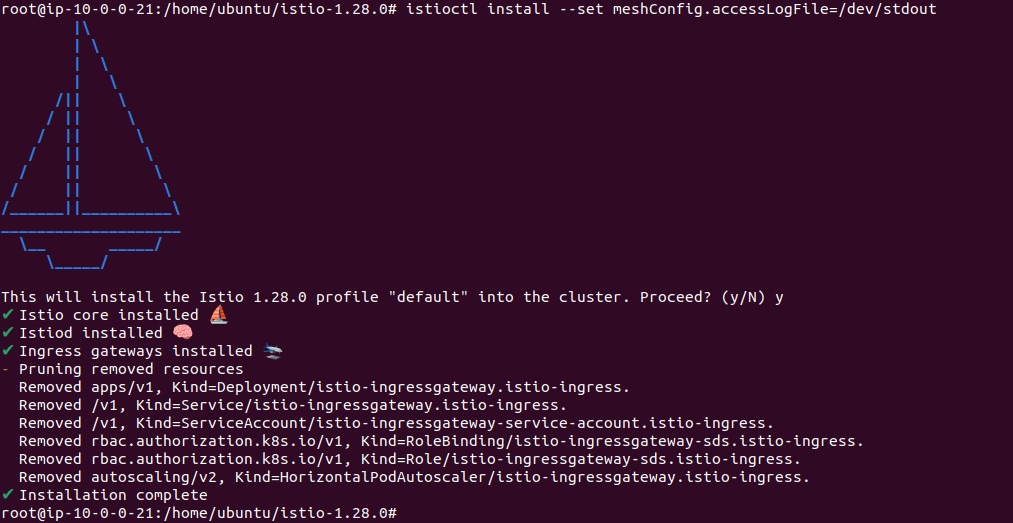
3. Deploy the Egress Gateway (If Not Already Present)
Check if the egress gateway is running:
kubectl get pod -l istio=egressgateway -n istio-system
If not present, enable it by updating your IstioOperator config or running:
istioctl install \
  --set "components.egressGateways[0].name=istio-egressgateway" \
  --set "components.egressGateways[0].enabled=true"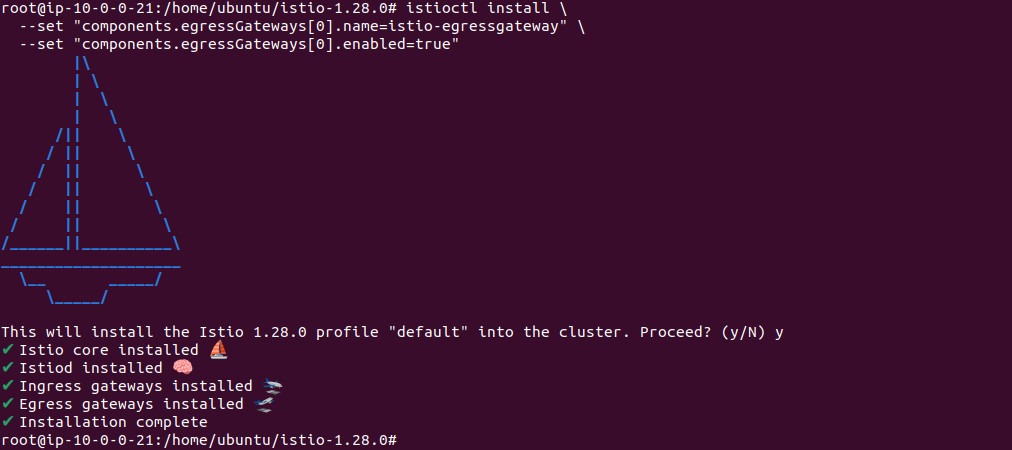
4. Create a ServiceEntry for the External Service
A ServiceEntry defines access to external domains. This example targets edition.cnn.com:
apiVersion: networking.istio.io/v1
kind: ServiceEntry
metadata:
  name: cnn
spec:
  hosts:
  - edition.cnn.com
  ports:
  - number: 80
    name: http-port
    protocol: HTTP
  - number: 443
    name: https
    protocol: HTTPS
  resolution: DNS
Apply it:
kubectl apply -f cnn-serviceentry.yaml
Important: resolution: DNS is required to avoid routing loops.
5. Define the Egress Gateway and DestinationRule
Configure the Gateway to accept outbound traffic to edition.cnn.com and a DestinationRule to define subsets for routing:
apiVersion: networking.istio.io/v1
kind: Gateway
metadata:
  name: istio-egressgateway
spec:
  selector:
    istio: egressgateway
  servers:
  - port:
      number: 80
      name: http
      protocol: HTTP
    hosts:
    - edition.cnn.com
---
apiVersion: networking.istio.io/v1
kind: DestinationRule
metadata:
  name: egressgateway-for-cnn
spec:
  host: istio-egressgateway.istio-system.svc.cluster.local
  subsets:
  - name: cnn
Apply both:
kubectl apply -f egress-gateway.yaml
6. Create the Routing Rules
This VirtualService splits routing into two parts:
- From the source pod to the egress gateway
- From the egress gateway to the external destination
apiVersion: networking.istio.io/v1
kind: VirtualService
metadata:
  name: direct-cnn-through-egress-gateway
spec:
  hosts:
  - edition.cnn.com
  gateways:
  - istio-egressgateway
  - mesh
  http:
  - match:
    - gateways:
      - mesh
      port: 80
    route:
    - destination:
        host: istio-egressgateway.istio-system.svc.cluster.local
        subset: cnn
        port:
          number: 80
  - match:
    - gateways:
      - istio-egressgateway
      port: 80
    route:
    - destination:
        host: edition.cnn.com
        port:
          number: 80
Apply the configuration:
kubectl apply -f cnn-virtualservice.yaml
7. Test the Egress Gateway
Send an HTTP request from the client pod:
kubectl exec "$SOURCE_POD" -c curl -- curl -sSL -o /dev/null -D - http://edition.cnn.com/politics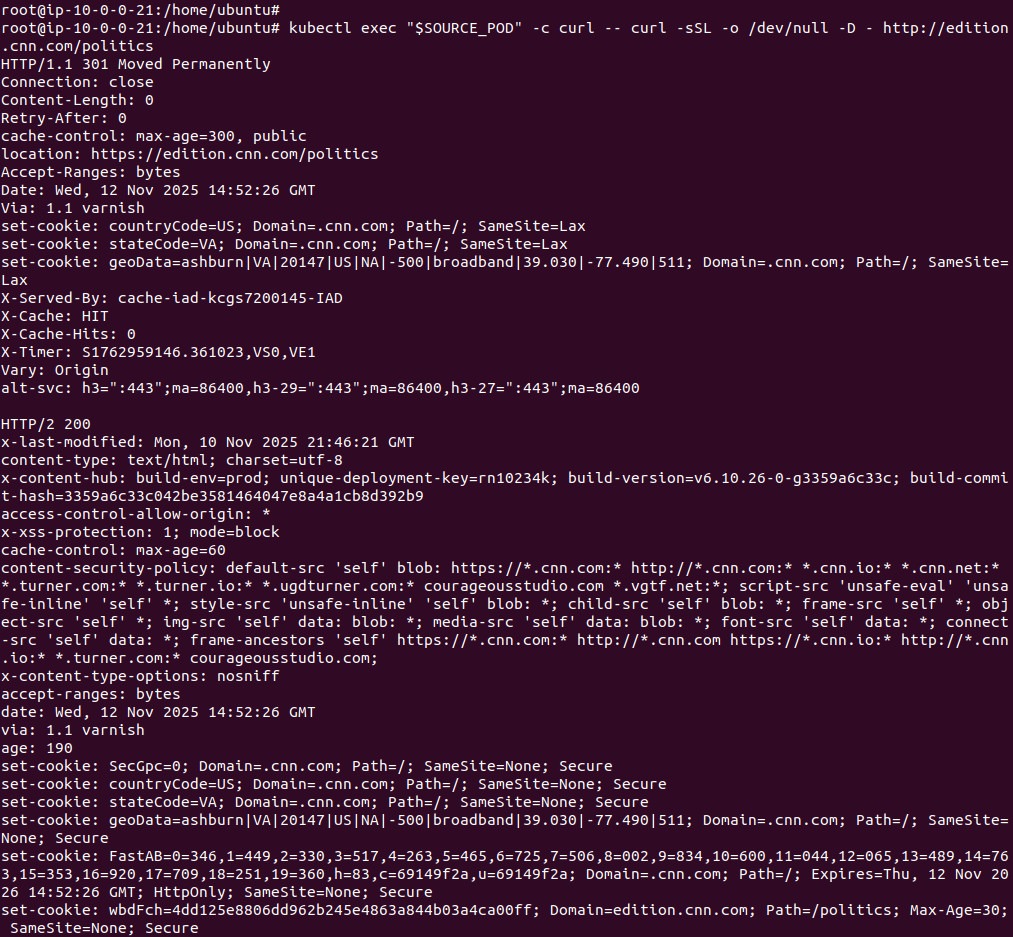
You should see an HTTP redirect to HTTPS followed by a successful page load:
HTTP/1.1 301 Moved Permanently
...
location: https://edition.cnn.com/politics
...
HTTP/2 200
...
8. Verify Egress Gateway Logs
To confirm the gateway handled the request, check its logs:
kubectl logs -l istio=egressgateway -c istio-proxy -n istio-system | tail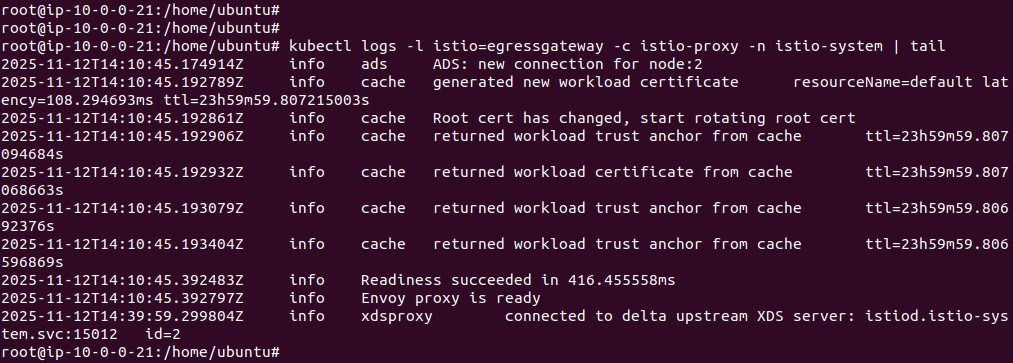
Look for a log line with GET /politics and a remote address.
This setup is useful for enforcing strict outbound access policies and centralizing monitoring of external service calls.
Evaluation Criteria: How to Choose the Right Gateway Approach for Your Environment
Choosing the right Istio Gateway configuration depends on your security posture, operational complexity, scalability needs, and team responsibilities. Below are key factors to guide your decision:
- Security requirements: Use dedicated ingress or egress gateways for environments requiring strict isolation, such as zero trust or regulated workloads. Namespace-scoped gateways with mTLS and fine-grained authorization policies help enforce domain boundaries and tenant-level controls.
- Deployment topology and network design: In single-cluster environments, a shared ingress gateway may suffice for centralized access control. In multi-tenant or multi-zone clusters, per-namespace or per-team gateways improve fault isolation and delegation of responsibility. For hybrid clouds or multi-cluster service meshes, gateways can serve as mesh ingress/egress points to enable inter-cluster routing.
- Operational complexity and team structure: Centralized gateway management is better suited for organizations with a platform team managing infrastructure. In decentralized environments, delegate control to application teams using namespace-bound gateways and well-defined policies via GitOps or CI/CD pipelines.
- Traffic patterns and performance considerations: High-throughput applications or those with TLS passthrough requirements may benefit from dedicated gateways that can be tuned independently of other workloads. Separate TLS termination and passthrough into different gateways to avoid configuration errors and resource contention.
- Policy and observability requirements: When enforcing authentication, rate limiting, or traffic telemetry, choose gateway models that centralize traffic through observability tooling. Gateways with sidecar injection and Envoy telemetry support better integration with Prometheus, Grafana, and Kiali.
- Migration path and compatibility: During transitions from Kubernetes Ingress to Istio Gateways, use hybrid models where both coexist. Evaluate which services benefit most from advanced routing and policy control, and migrate incrementally with robust testing and monitoring in place.
By aligning gateway architecture with your organization’s network structure, security posture, and operational maturity, you can deploy Istio Gateways in a way that scales with your infrastructure and development practices.



