







What Is Istio Ambient Mode?
Istio ambient mode is a new deployment model for Istio, simplifying service mesh traffic management in Kubernetes environments. Instead of deploying sidecar proxies to each application pod, ambient mode introduces a sidecar-less approach that reduces operational overhead.
This model shifts critical networking and security functions into a shared infrastructure layer, resulting in more efficient resource usage and easier management. The move to ambient mode addresses several common pain points with traditional service mesh implementations.
Operators no longer need to inject or manage sidecars for every workload, which decreases the complexity and failure domains in large clusters. By centralizing proxy functionality, ambient mode also minimizes duplication, simplifies policy enforcement, and can lead to better performance through optimized data processing paths.
In this article:
- Benefits of Istio Ambient Mode
- How Istio Ambient Mode Works
- Understanding Istio Ambient Mode Architecture
- Istio Sidecar vs. Ambient Mode: What Is the Difference?
- Key Challenges of Istio Ambient Mode
- Migration and Traffic Flow Considerations for Ambient Mode
- Tutorial: Getting Started with Istio Ambient Mode
- Evaluation Criteria: How to Choose the Right Tools for Istio Ambient Deployments
Benefits of Istio Ambient Mode
Istio ambient mode offers several key advantages over the traditional sidecar-based model. These benefits are particularly relevant for large-scale Kubernetes environments, where operational simplicity and resource efficiency are critical:
- Reduced resource consumption: By removing per-pod sidecars, ambient mode eliminates redundant memory and CPU usage across workloads. This leads to significantly lower infrastructure costs, especially in clusters with thousands of services.
- Simplified operations: Without the need to manage sidecar injection and lifecycle, teams can simplify deployment workflows. This reduces the risk of configuration drift.
- Improved security posture: Ambient mode enables centralized policy enforcement and traffic control, making it easier to audit and manage service-to-service security. The separation of concerns reduces the attack surface at the application level.
- Faster application start times: Applications no longer need to wait for sidecars to start or communicate with them. This can improve pod startup latency, making scaling and recovery faster.
- Incremental adoption: Organizations can migrate to ambient mode gradually, without needing to redeploy existing workloads. This supports a smoother transition path for teams with large, established deployments.
- Optimized network path: Centralized data plane processing can reduce the number of network hops and proxy overhead, leading to more efficient traffic flow and better performance.
How Istio Ambient Mode Works
Istio ambient mode divides network functionality into two layers: a base layer for secure connectivity and an optional layer for traffic management.
At the base layer, Istio deploys ztunnel, a lightweight, per-node proxy for layer 3 and 4 (L3/L4) traffic. ztunnel handles mutual TLS (mTLS), L4 authorization, authentication, and telemetry. It forms a secure overlay across the mesh using HBONE, an HTTP CONNECT-based tunneling protocol. Since ztunnel operates at the node level and not within individual pods, it eliminates the need for sidecar proxies, reducing resource usage and simplifying deployment.
For use cases that require layer 7 (L7) features such as traffic routing, L7 policy enforcement, and deep observability, Istio adds waypoint proxies. These are Envoy-based proxies deployed per namespace and operate independently of the workloads they serve. They provide the full capabilities of Istio’s traditional sidecar model but without being co-located with the applications. This allows teams to enable L7 features selectively, only where needed.
A key advantage of ambient mode is its incremental adoption model. Clusters can start with just the ztunnel for basic secure connectivity and later add waypoint proxies to specific namespaces if advanced features become necessary. Workloads using sidecars and those in ambient mode can coexist, enabling a gradual transition without disruption.
Understanding Istio Ambient Mode Architecture
Let’s explore Istio Ambient Mode’s components in more detail.
Ambient Data Plane
The ambient data plane consists primarily of two components: ztunnel and optional waypoint proxies. The ztunnel runs as a daemon on each node and is responsible for intercepting and routing layer 3 and 4 traffic for all ambient-enabled workloads on that node. It performs mTLS encryption, authorization checks, and basic telemetry.
Workloads in the mesh fall into three categories:
- Out of mesh: These pods do not interact with the ambient mesh.
- In mesh: These pods have their traffic intercepted and handled at the L4 level by ztunnel.
- In mesh, waypoint enabled: These workloads also route traffic through a waypoint proxy for L7 policy enforcement.
The separation of concerns between ztunnel and waypoints allows ambient mode to scale effectively and apply advanced features only where needed.
ztunnel Traffic Redirection
To enforce security and policy, ambient mode must ensure that all traffic from in-mesh pods passes through ztunnel. This is accomplished via traffic redirection mechanisms implemented by the istio-cni node agent.
When a pod is added to an ambient-enabled namespace, the istio-cni agent:
- Installs network redirection rules in the pod’s network namespace.
- Notifies ztunnel to create listening sockets inside that namespace.
- Establishes communication between the pod and the node-local ztunnel over well-known ports (15008, 15006, 15001).
These steps are performed transparently, without altering the application or interfering with Kubernetes networking. Once complete, all traffic entering or leaving the pod is encrypted and processed by ztunnel. This model ensures consistent policy enforcement and secure communication with minimal operational complexity.
HBONE
HBONE (HTTP-Based Overlay Network Environment) is the secure tunneling protocol that enables encrypted communication between mesh components. It combines HTTP/2 for stream multiplexing, HTTP CONNECT for tunneling, and mTLS for encryption and identity.
Each unique source-destination pair establishes its own encrypted tunnel, even if multiple application streams are involved. This setup ensures strong security and tenancy isolation. A key benefit of HBONE is its transparency: it allows application traffic to flow without modification, removing the need for Istio-specific headers.
Proxies like ztunnel expose listeners for HBONE on port 15008, allowing them to terminate and initiate HBONE tunnels securely and efficiently.
Ambient and the Istio Control Plane
In ambient mode, Istio continues to use the standard control plane components, specifically istiod, to manage mesh configuration and policies. The key difference is how the control plane interacts with the data plane. Instead of communicating with individual sidecar proxies, istiod sends configuration updates to the per-node ztunnel proxies using the xDS APIs. These updates include service discovery information, policies, and mutual TLS (mTLS) certificates.
The ztunnel proxy handles configuration for all the pods on its node, making it a multi-tenant proxy. This centralized approach allows it to apply layer 4 policies and manage secure communication for multiple workloads, improving efficiency and scalability. Because ambient mode uses a simplified set of xDS resources, the control plane has a lighter load.
Istio Sidecar vs. Ambient Mode: What Is the Difference?
Istio offers two main data plane deployment models: sidecar mode and ambient mode. Both provide secure, observable, and manageable service-to-service communication, but differ significantly in architecture, operational complexity, and resource efficiency.
Sidecar mode has been Istio’s traditional model since its inception. In this mode, each pod includes an Envoy sidecar proxy, which handles both layer 4 (L4) and layer 7 (L7) features such as traffic management, telemetry, security, and policy enforcement. While comprehensive, sidecar mode introduces operational overhead, including the need to inject proxies into every pod, restart workloads when enabling the mesh, and manage high per-pod resource consumption.
Ambient mode, introduced to address these concerns, decouples the data plane from individual pods. It uses a per-node proxy called ztunnel for L4 security and connectivity, and an optional waypoint proxy for L7 functionality. Workloads are added to the mesh simply by labeling their namespace, with no need to restart pods. This approach reduces CPU and memory usage, simplifies lifecycle management, and supports more gradual, namespace-scoped adoption of L7 features.
The following table summarizes the differences between the two modes:
| Category | Sidecar Mode | Ambient Mode |
| Deployment Model | Envoy proxy injected into each pod | Per-node ztunnel; optional waypoint proxies |
| Traffic Layers Supported | L4 and L7 by default | L4 by default; L7 via waypoint |
| Resource Usage | High: proxy per pod | Lower: shared proxies |
| Latency (p90/p99) | 0.63ms–0.88ms | ztunnel: 0.16ms–0.20ms; waypoint: 0.40ms–0.50ms |
| Pod Onboarding | Requires pod restart | No restart; namespace label |
| Incremental Deployment | Binary enablement | Gradual: L4 always on, L7 optional |
| Security (L4) | Per-pod mTLS identity | Per-node identity with isolation |
| Observability | Full L4 and L7 by default | L4 by default; L7 via waypoint |
| Traffic Management | Full feature set by default | Full feature set only with waypoint |
| Average Resource Cost | High | Low |
Related content: Read our guide to Istio proxy
Tips from the Expert
In my experience, here are tips that can help you better adopt and optimize Istio Ambient Mode in Kubernetes environments:
Segment L7 enablement based on application criticality:
Don’t blanket-enable waypoint proxies. Instead, use labels or annotations to selectively apply L7 to APIs or services where advanced routing, observability, or rate-limiting is necessary. This preserves ambient’s efficiency and avoids proxy bloat.
Integrate CNI metrics with ztunnel telemetry for network anomaly detection:
Combine Istio ztunnel telemetry with low-level Kubernetes CNI plugin metrics (e.g., dropped packets, DNS failures). This joint telemetry helps identify root causes of network issues faster, especially under ambient mode’s node-level abstraction.
Deploy ztunnel affinity rules for pod locality:
Ensure pods with high-throughput or latency-sensitive needs are co-located on nodes with lower ztunnel load. Use node/pod affinity and custom schedulers to fine-tune placement and avoid ztunnel saturation.
Monitor HBONE session churn as a security signal:
Frequent reestablishment of HBONE tunnels (port 15008) between known workloads may indicate instability, pod evictions, or even lateral movement attempts. Alert on high session churn for known services.
Harden ztunnel DaemonSet with seccomp, AppArmor, and read-only FS:
Because ztunnel is a privileged system component with broad traffic access, reduce attack surface using hardened pod securityContext settings. Limit file system access, use non-root containers, and enforce runtime security profiles.

Key Challenges of Istio Ambient Mode
While Istio ambient mode simplifies many aspects of service mesh management, it also introduces new complexities and trade-offs. Understanding these challenges is important for teams considering adoption in production environments:
- Maturity and ecosystem support: As a newer feature, ambient mode is still evolving. Some integrations, tooling, or extensions that work with sidecars may not yet fully support ambient mode.
- Operational debugging complexity: Centralized components like the ztunnel and waypoint proxies introduce new failure points. Diagnosing traffic issues may require different tooling and a new mental model for observability.
- Security model shift: Ambient mode changes how identity, encryption, and policy enforcement are handled. Teams must adapt their security practices to reflect the new architecture, which may not align with existing assumptions.
- Compatibility limitations: Not all Istio features are immediately available in ambient mode. Advanced traffic management capabilities or custom Envoy configurations might be limited or unsupported.
- Resource contention on shared proxies: Since multiple workloads rely on shared proxy infrastructure, misconfigurations or spikes in one service can affect others, leading to potential contention or performance degradation.
- Deployment complexity during migration: Running both sidecar and ambient modes in the same cluster during transition adds complexity. Ensuring consistent policy behavior across modes can be difficult.
Migration and Traffic Flow Considerations for Ambient Mode
Migrating from Sidecar-Based Mesh to Ambient
Migrating to ambient mode involves enabling ambient mesh features on a per-namespace basis using labels, allowing workloads to transition without restart. During this phase, both sidecar-injected and ambient workloads can coexist in the same cluster. Istio’s control plane (istiod) can handle mixed modes, ensuring configuration consistency across both types of data planes.
To begin, label target namespaces with istio.io/data plane-mode=ambient. This triggers istio-cni to apply network redirection rules and ztunnel to handle traffic for those pods. Services can be incrementally migrated by adjusting namespace labels, making it possible to test ambient mesh features without affecting other workloads.
Traffic Flow Changes with zTunnel and Waypoints
In ambient mode, traffic routing changes fundamentally. Instead of traveling through co-located sidecar proxies, L4 traffic is intercepted at the node level by ztunnel. If no L7 features are enabled, traffic flows directly through ztunnel using HBONE tunnels, reducing hops and latency.
When L7 policies (e.g., traffic splitting, retries, or headers-based routing) are required, a waypoint proxy is deployed. These proxies handle inbound or outbound L7 traffic as defined in policies, and only for workloads in namespaces with waypoints configured. This selective routing ensures advanced features are applied only where needed, minimizing resource usage.
Ensuring Stable Identity and Policy During Transition
Ambient mode maintains workload identity using per-node certificates issued to ztunnel, which perform workload authentication on behalf of pods. While this introduces a shared trust anchor at the node level, policies are still enforced per workload, preserving fine-grained security.
During migration, ensure RBAC and authorization policies are defined in terms of service accounts or workload selectors, not IPs or sidecar-specific metadata. This prevents policy mismatches between sidecar and ambient modes. Validate policy coverage with dry runs or audit logging to detect discrepancies.
Avoiding Traffic Blind Spots
Because traffic redirection in ambient mode relies on CNI and iptables rules, misconfigured namespaces or missing labels can cause traffic to bypass the mesh. This creates potential observability and security blind spots.
To avoid this, automate namespace labeling using admission controllers or CI/CD gates. Monitor pod annotations and mesh telemetry to confirm that workloads are routed through ztunnel. Tools like Istio’s proxy-status and metrics dashboards can help verify mesh participation and tunnel usage.
Testing Before Full Namespace Rollout
Before migrating critical namespaces, test ambient mode in staging or non-critical environments. Focus on validating traffic flow through ztunnel, application performance, and policy enforcement. Use synthetic traffic and observability tools to detect regressions.
Deploy waypoint proxies to selected namespaces and verify L7 policy behavior. Compare telemetry and resource usage between sidecar and ambient modes. Once confident, proceed with phased rollouts by labeling namespaces incrementally and continuously monitoring mesh behavior.
Tutorial: Getting Started with Istio Ambient Mode
This tutorial walks through setting up Istio in ambient mode on a Kubernetes cluster. You’ll install the core components using istioctl or Helm and validate the setup with the provided tools. A Kubernetes cluster running a supported version (1.29-1.33) is required.
Instructions are adapted from the Istio documentation.
Step 1: Download Istio CLI
Start by downloading the Istio CLI (istioctl) and navigating into the extracted directory:
curl -L https://istio.io/downloadIstio | sh -
cd istio-1.28.0
export PATH=$PWD/bin:$PATH
Verify that istioctl is working:
istioctl version
You’ll see that no Istio components are installed yet.
Step 2: Install Istio in Ambient Mode
Install Istio using the ambient profile to enable sidecar-less deployment:
istioctl install --set profile=ambient --skip-confirmation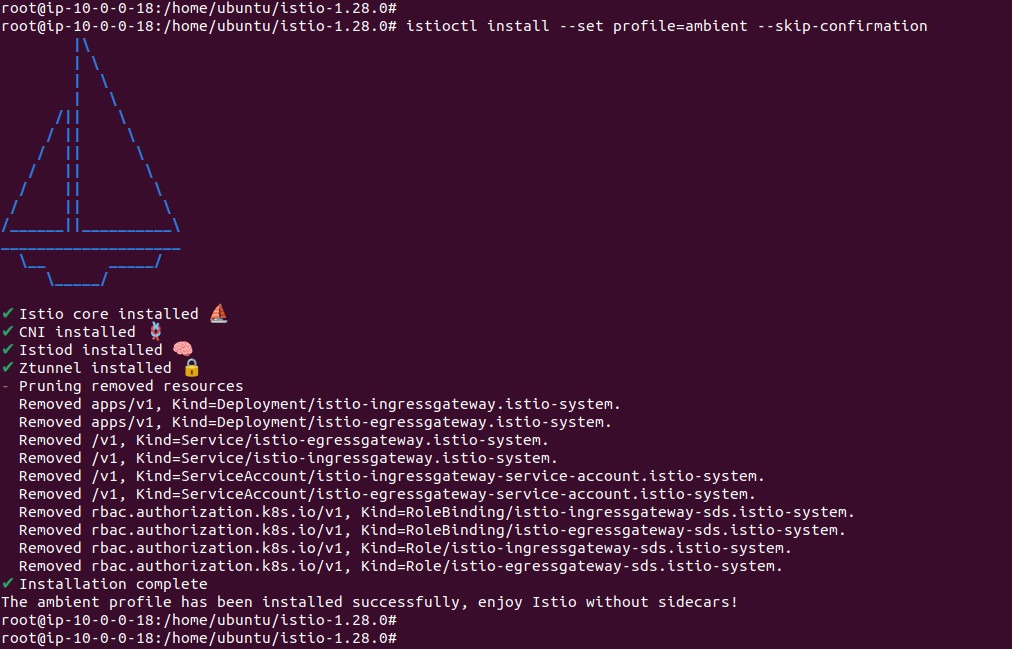
You should see confirmation that core components like istiod, CNI, and ztunnel have been installed.
Step 3: Install Gateway API CRDs
Ambient mode uses the Kubernetes Gateway API for traffic routing. Install the required CRDs:
kubectl get crd gateways.gateway.networking.k8s.io &> /dev/null || \
kubectl apply -f https://github.com/kubernetes-sigs/gateway-api/releases/download/v1.3.0/standard-install.yaml
Step 4: Install with Helm (Optional for Production Use)
For production deployments, Istio recommends using Helm to allow better upgrade control. Please ensure that currently you don’t have any Istio components installed on your server. Otherwise following commands will fail.
First, configure the Helm repository:
helm repo add istio https://istio-release.storage.googleapis.com/charts
helm repo update
Then install the base components and control plane:
helm install istio-base istio/base -n istio-system --create-namespace --wait
helm install istiod istio/istiod --namespace istio-system --set profile=ambient --wait
helm install istio-cni istio/cni -n istio-system --set profile=ambient --wait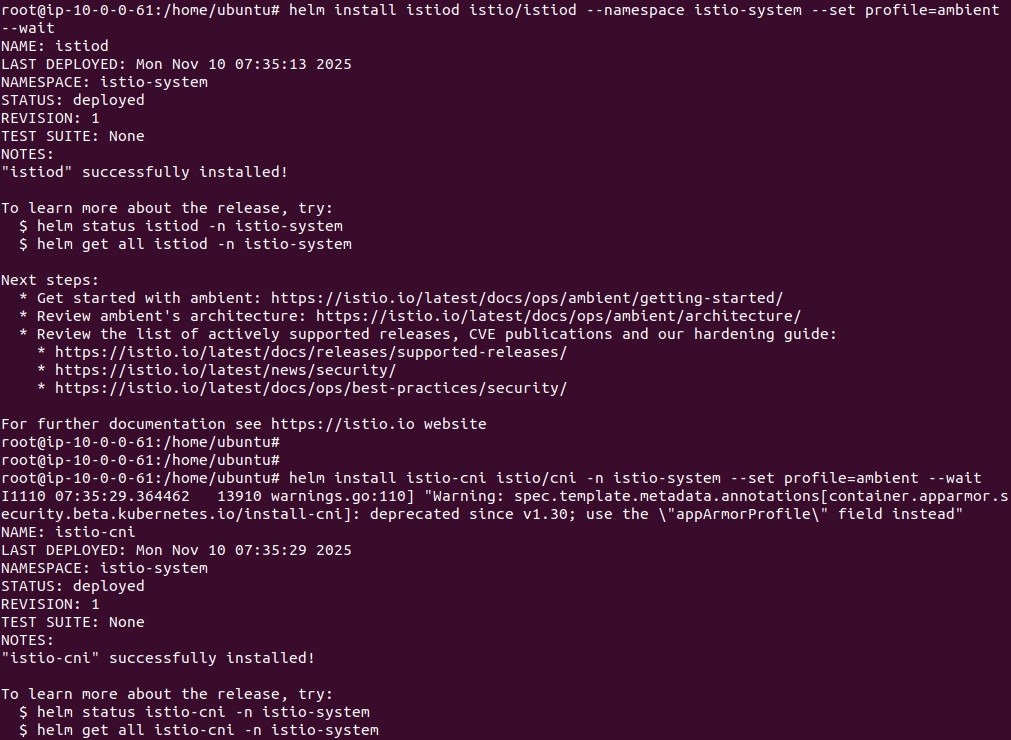
Install the ztunnel DaemonSet, which enables per-node traffic interception:
helm install ztunnel istio/ztunnel -n istio-system --wait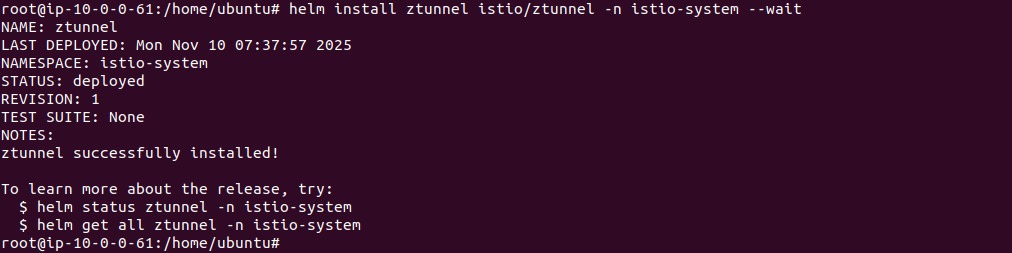
If you plan to use ingress gateways, you can install one with:
helm install istio-ingress istio/gateway -n istio-ingress --create-namespace --waitStep 5: Verify the Installation
Check that all components are deployed and running:
helm ls -n istio-system
kubectl get pods -n istio-system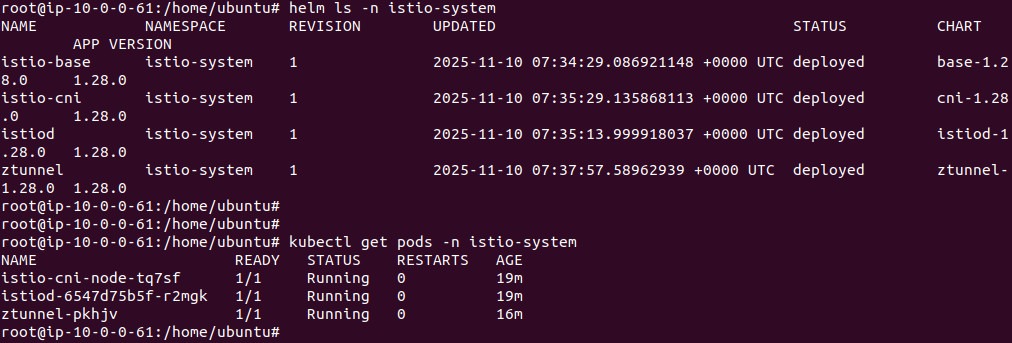
You should see pods like istiod, istio-cni-node, and ztunnel in the Running state.
Step 6: Deploy a Sample Application
Once the ambient mesh is installed, follow Istio’s sample application guide to deploy workloads and add them to the mesh. This allows you to test features like secure communication and traffic policies using ambient mode without sidecar injection.
This setup provides a complete base for evaluating Istio Ambient Mode. You can selectively enable advanced L7 features using waypoint proxies later as needed.
Evaluation Criteria: How to Choose the Right Tools for Istio Ambient Deployments
When selecting tools to support Istio Ambient Mode deployments, it’s important to evaluate them across four key operational domains: security, networking, observability, and operations. Each domain presents unique demands introduced by the ambient mesh model.
Security
- End-to-end encryption: Tools must support HBONE-based encrypted tunnels and validate mTLS at both node and workload levels.
- Zero trust controls: Enforce identity-based policies using Kubernetes-native constructs like service accounts. Validate that tools can visualize and audit trust boundaries without relying on sidecar metadata.
- Workload protection: Ensure runtime security tools can detect anomalies even without sidecar-level traffic inspection. Focus on node-level enforcement and runtime sandboxing.
- Policy consistency across L4 and L7: Choose policy engines that can apply and audit consistent rules across ztunnel and waypoint proxies. Mixed-mode validation support is critical.
Networking
- Reliability and performance: Evaluate tools that can baseline and monitor ambient-specific latency metrics (e.g., ztunnel p90 latency) and detect disruptions during HBONE tunnel setup.
- Multi-cluster or hybrid connectivity: Check if tools support cross-cluster mesh federation without relying on sidecar-based assumptions.
- Integration with Kubernetes CNI: Ensure compatibility with CNI plugins used by istio-cni. Tools should be aware of iptables and eBPF-based traffic redirection for accurate diagnosis.
Observability
- Real-time flow visibility: Prioritize observability platforms that ingest telemetry from ztunnel and waypoint proxies. Pod-level visibility must be reconstructed from node-level logs and metrics.
- zTunnel- and HBONE-level monitoring: Use tools that expose session statistics, tunnel state, and connection errors for each ztunnel. HBONE-specific metrics (e.g., tunnel churn, auth failures) should be first-class citizens.
- Ability to troubleshoot distributed meshes: Tools should visualize traffic paths without relying on sidecar-specific tracing headers. Look for support for DNS resolution mapping, pod affinity analysis, and flow correlation across namespaces.
- Traffic anomaly detection: Choose platforms that can baseline ambient-mode traffic behavior and detect deviations using flow metadata, latency patterns, and session churn metrics.
Operations
- Upgrade and maintenance model: Favor tools that integrate with Helm or istioctl and support ambient-mode profiles. Look for zero-downtime upgrade support and ztunnel-specific health checks.
- Performance overhead: Use lightweight agents or sidecar-less telemetry collectors to avoid adding unnecessary load. Profile ztunnel CPU/memory overhead before scaling.
- Compatibility with existing architectures: Validate ambient readiness for each tool. Some legacy observability and security tools may not work without sidecars and must be replaced or reconfigured.
Choosing the right tools involves aligning your platform’s maturity, operational goals, and ambient-mode roadmap. Pilot in low-risk environments and evaluate support for hybrid meshes before standardizing.
How Calico’s Ambient Service Mode Extends Istio Ambient with Unified Security and Deep Visibility
Calico’s integration with Istio Ambient Mode pairs the sidecarless mesh data plane — a per-node zTunnel proxy for L4 identity and mTLS, and an optional per-namespace Waypoint proxy for L7 routing and authorization — with Calico’s existing network policy enforcement and flow telemetry. A modified zTunnel preserves the original destination port so existing Kubernetes and Calico policies continue to work without rewrites, and L7 telemetry from the Waypoint proxy can be correlated with Calico’s L3/L4 flow logs for end-to-end visibility across the stack.
Specifically, this combined model provides:
- Mesh-wide mTLS by default, with automatic certificate issuance and rotation, and identity bound to the workload rather than to transient pod IPs.
- Policy compatibility without rewrites, since the modified zTunnel preserves the original destination port so existing Kubernetes NetworkPolicy and Calico GlobalNetworkPolicy resources continue to enforce on the real application port.
- Layered L4 and L7 enforcement, combining Calico L3/L4 policy with Istio AuthorizationPolicy rules that can match on workload identity, HTTP method and path, headers, and JWT claims at the Waypoint proxy.
- L7 traffic control including canary rollouts, A/B testing, blue/green cutovers, traffic mirroring, retries, timeouts, circuit breakers, and outlier detection.
- Unified L4 + L7 observability, with OpenTelemetry-based metrics, traces, and logs from the Waypoint proxy correlated with Calico’s flow data to expose request paths, mTLS status per hop, latency distributions, and authorization denials.
- Operator-managed lifecycle, where mesh components are installed, upgraded, and patched through the Tigera Operator, and namespaces are onboarded with a single label rather than sidecar injection.
Next steps:
- Sidecarless Mesh: Read An In-Depth Look at Istio Ambient Mode with Calico to learn how to eliminate the sidecar tax.
- Innovation at the Edge: Check out the Tigera News from KubeCon 2025 to see how Calico is simplifying service mesh troubleshooting.
- eBPF Integration: Discover how Service Mesh with eBPF provides a more secure and performant data plane for your microservices.



