TL;DR: Multi-cloud VM migration security protects workloads moving between cloud providers. Best for Kubernetes segmentation: Calico; broad CNAPP visibility: Wiz; Azure-centric estates: Microsoft Defender for Cloud; agentless scanning: Orca Security.
What Is Multi-Cloud VM Migration?
Multi-cloud VM migration is the process of moving virtual machines (VMs) between different cloud service providers, such as AWS, Azure, and Google Cloud. This migration can be motivated by cost optimization, improved availability, compliance needs, or to avoid vendor lock-in. Unlike a single-cloud migration, multi-cloud VM migration requires organizations to navigate the complexities and unique characteristics of each cloud provider’s infrastructure, tools, and processes.
Here are core best practices for moving VMs securely across cloud providers:
- Inventory and classify VMs before migration: Create a complete inventory of workloads, classify them by business criticality, data sensitivity, and compliance requirements, and use this information to prioritize migration and apply appropriate security controls.
- Perform a pre-migration security assessment: Identify vulnerabilities, misconfigurations, outdated software, excessive permissions, and other security issues before migration to avoid transferring existing risks into the target cloud.
- Define a shared security baseline across clouds: Establish consistent standards for identity and access management, encryption, network security, logging, and monitoring, then map these requirements to each cloud provider’s native services.
- Apply least-privilege access to migration operations: Restrict permissions for users, service accounts, and migration tools to only the access required, monitor privileged activities, and remove temporary access immediately after migration.
- Encrypt VM data in transit and at rest: Protect VM images, snapshots, disks, and migration traffic with strong encryption, and manage encryption keys securely using centralized key management services.
- Secure VM images, snapshots, and backups: Protect migration artifacts with strict access controls, integrity verification, malware scanning, and secure retention policies to prevent unauthorized access or tampering.
- Segment migration traffic: Isolate migration traffic from production networks using private connectivity, VPNs, dedicated network segments, firewalls, and security groups to reduce interception and lateral movement risks.
- Protect application and data dependencies: Identify and securely migrate supporting services such as databases, identity providers, certificates, secrets, and APIs to ensure applications remain secure and functional after migration.
- Test workloads in an isolated target environment: Validate migrated VMs in a non-production environment to verify security controls, network connectivity, performance, monitoring, and application functionality before production cutover.
- Conduct a post-migration security review: Confirm migrated workloads meet security baselines, verify encryption and access controls, review logs and configurations, and remediate any issues discovered before considering the migration complete.
In this article:
- Why Is Security Critical During Multi-Cloud VM Migration?
- Multi-Cloud VM Migration Security Best Practices
- Notable Multi-Cloud VM Migration Security Tools
Why Is Security Critical During Multi-Cloud VM Migration?
Expanded Attack Surface Across Cloud Environments
Migrating VMs between multiple cloud providers inherently expands the attack surface that organizations must defend. Each cloud environment presents unique interfaces, APIs, and security controls, increasing the number of potential entry points for attackers. As workloads move, attackers may exploit weak configurations, overlooked permissions, or vulnerabilities exposed during the transition phase. This expansion is further complicated by the necessity to manage access and monitor activity across multiple administrative domains, making comprehensive visibility and consistent policy enforcement challenging.
Differences in Cloud Security Models
Each cloud provider operates under its own security model, including unique approaches to identity and access management, encryption, network segmentation, and logging. When migrating VMs between clouds, these differences can introduce inconsistencies in security postures. A control or configuration that is effective in one provider may not translate directly to another, leading to gaps or redundancies. For example, an IAM policy in AWS may not have a direct equivalent in Azure or Google Cloud, requiring organizations to re-architect permissions and access controls for each environment.
Related content: For a wider view of protecting workloads across providers, read our guide to cloud security.
Exposure of Data During Transfer
During VM migration, data is often transferred across public or semi-public networks, increasing the risk of interception or unauthorized access. If data is not properly encrypted in transit, attackers may capture sensitive information such as credentials, application data, or configuration details. Even with encryption, weak key management practices or misconfigurations can lead to exposure. The use of third-party migration tools or services also introduces additional parties that may have access to data flows, further heightening risk.
Configuration Drift and Security Control Gaps
Configuration drift occurs when VM settings, security controls, or network configurations deviate from established standards during migration. This drift can result from manual intervention, automation errors, or incompatibilities between cloud environments. Even minor discrepancies in firewall rules, access controls, or monitoring settings can create exploitable gaps that attackers may target. Ensuring configuration consistency is especially difficult in multi-cloud scenarios, where platform-specific differences must be reconciled.
Multi-Cloud VM Migration Security Best Practices
Organizations should consider the following best practices when planning VM migration in a multi-cloud setup.
1. Inventory and Classify VMs Before Migration
Before initiating any migration activities, organizations must create a comprehensive inventory of all VMs targeted for transfer. This inventory should capture details such as:
- VM configurations
- Operating systems
- Installed applications
- Data sensitivity
- Compliance requirements
Proper classification of VMs (based on criticality, data type, and regulatory impact) enables organizations to prioritize migration tasks, apply tailored security controls, and allocate resources efficiently. This foundational step reduces the risk of inadvertently exposing sensitive workloads or neglecting critical systems during the migration process.
A reliable inventory and classification process also supports compliance initiatives by ensuring that regulated data is handled according to applicable standards. For example, VMs containing personally identifiable information (PII) or payment data may require enhanced encryption, stricter access controls, or additional audit measures during migration.
How VM migration tools can help:
- Automatically discover VMs and cloud resources across environments.
- Map VM dependencies to identify migration groups and priorities.
- Classify workloads based on business criticality and application relationships.
- Generate inventories and reports to support migration planning and compliance.
2. Perform a Pre-Migration Security Assessment
A pre-migration security assessment identifies existing vulnerabilities, misconfigurations, and potential risks within the VMs slated for migration. This assessment should include:
- Vulnerability scans
- Configuration reviews
- Checks for outdated software
- Checks for unpatched operating systems
By addressing these issues before migration, organizations minimize the chance of transferring vulnerabilities to the new environment, where detection and remediation may be more complex. The assessment should also evaluate the readiness of VMs for the target cloud’s security requirements and controls.
In addition to technical checks, organizations should review access permissions, authentication mechanisms, and monitoring capabilities associated with each VM. This review ensures that only authorized users and services can interact with VMs during and after migration.
How VM migration tools can help:
- Discover unsupported operating systems and outdated software.
- Identify configuration issues before migration begins.
- Reveal exposed services and unnecessary network communication.
- Export assessment reports to support remediation planning.
3. Define a Shared Security Baseline Across Clouds
Establishing a shared security baseline across all participating cloud environments is essential to maintain consistent protection levels during and after migration. This baseline should define minimum requirements for:
- Access control
- Encryption
- Network segmentation
- Logging
- Monitoring
This should be regardless of provider-specific implementations. By creating a unified set of policies and controls, organizations can reduce the risk of gaps or inconsistencies as VMs move between environments, ensuring that critical protections remain in place.
Implementing a shared baseline requires translating high-level security requirements into provider-specific configurations and automation scripts. Organizations should leverage infrastructure-as-code (IaC) tools to enforce consistent settings and regularly audit cloud environments for compliance with the defined baseline.
How VM migration tools can help:
- Compare workloads across cloud providers to identify configuration differences.
- Validate that required network connectivity aligns with security policies.
- Map application dependencies to support consistent segmentation policies.
- Continuously monitor infrastructure changes after migration.
4. Apply Least-Privilege Access to Migration Operations
Restricting access to migration tools, processes, and data is fundamental to reducing the risk of insider threats or accidental exposure. Applying least-privilege principles ensures that users, scripts, and services involved in the migration only have the permissions necessary to complete their tasks. This reduces the attack surface and limits the potential impact of compromised credentials or malicious activity. Role-based access control (RBAC) and just-in-time (JIT) access mechanisms can help enforce these principles during migration operations.
In addition to limiting permissions, organizations should monitor all privileged actions related to migration, such as:
- Exporting VM images
- Modifying configurations
- Transferring data
Logging and alerting on suspicious activity enables rapid detection and response to potential security incidents. After migration is complete, any temporary permissions or roles should be promptly revoked to prevent lingering access and maintain a strong security posture.
How VM migration tools can help:
- Identify which systems and services require communication during migration.
- Reduce unnecessary network access by validating actual dependencies.
- Document migration activities to support auditing and change tracking.
- Integrate with IAM and security platforms for controlled migration workflows.
5. Encrypt VM Data in Transit and at Rest
Encrypting VM data throughout the migration process helps prevent unauthorized access if data is intercepted or storage resources are compromised. Use modern transport protocols such as TLS for all migration traffic and ensure VM images, snapshots, and disks remain encrypted while stored in source and target environments. Encryption should apply not only to production workloads but also to temporary staging locations and intermediate storage used during migration.
Encryption is only as strong as its key management practices. Organizations should:
- Store encryption keys in managed key management services
- Restrict access to authorized personnel and services
- Rotate keys according to policy
When moving between cloud providers, verify that encryption settings remain enabled after import and that workloads continue using approved keys rather than provider defaults.
How VM migration tools can help:
- Identify migration paths where encryption should be enforced.
- Validate secure communication between dependent systems.
- Detect unencrypted network connections before migration.
- Provide visibility into data flows that require additional protection.
6. Secure VM Images, Snapshots, and Backups
VM images, snapshots, and backups often contain operating systems, application binaries, credentials, and sensitive business data. These assets should be treated as highly sensitive throughout the migration process:
- Store them in protected repositories with strict access controls
- Enable integrity verification
- Limit who can create, download, or restore them to reduce the risk of unauthorized use
Organizations should also validate images before deployment into the target cloud. Verify checksums or digital signatures to detect tampering, scan images for malware and known vulnerabilities, and remove unnecessary files or embedded secrets before creating migration artifacts. Retention policies should ensure outdated snapshots and temporary backups are securely deleted once they are no longer needed.
How VM migration tools can help:
- Inventory VM images and related infrastructure assets.
- Track where snapshots and workloads are deployed.
- Identify orphaned or unused virtual machine resources.
- Support documentation of migration artifacts for audit purposes.
7. Segment Migration Traffic
Migration traffic should be isolated from general production traffic to reduce the risk of interception or lateral movement by attackers. To help ensure migration data flows only through approved paths, use:
- Dedicated network segments
- Private connectivity options
- VPN tunnels
- Network security groups
- Firewall rules
Policies should allow only the required protocols and endpoints for migration activities. Segmentation also improves monitoring and incident response. By separating migration traffic, organizations can apply targeted logging, intrusion detection, and bandwidth controls without affecting other workloads. Once migration is complete, temporary network paths, firewall exceptions, and connectivity configurations should be removed.
How VM migration tools can help:
- Visualize east-west traffic before migration.
- Map application communication to design segmentation policies.
- Identify unnecessary network connections for removal.
- Validate segmentation changes before production cutover.
8. Protect Application and Data Dependencies
VMs rarely operate in isolation and often depend on databases, storage systems, identity providers, messaging services, and external APIs. These dependencies should be identified before migration to ensure security controls remain effective after workloads are moved. Missing or improperly configured dependencies can cause application failures or expose sensitive communications.
Security teams should verify that these elements continue to function correctly in the target environment:
- Authentication methods
- Certificates
- Service accounts
- Network policies
Any required credentials should be securely transferred using approved secret management solutions rather than embedded in VM images or configuration files. Testing dependency connections before production cutover helps identify issues without disrupting business operations.
How VM migration tools can help:
- Automatically discover application and infrastructure dependencies.
- Identify databases, APIs, and shared services supporting each VM.
- Reduce migration failures caused by overlooked dependencies.
- Generate dependency maps to guide migration sequencing.
9. Test Workloads in an Isolated Target Environment
Before placing migrated VMs into production, organizations should validate them in an isolated environment that mirrors the target cloud configuration. This allows teams to verify:
- Functionality
- Security settings
- Network connectivity
- Performance
This is done without exposing production systems to unnecessary risk. Isolation also prevents incomplete or misconfigured workloads from interacting with live services. Security testing should include vulnerability scanning, configuration validation, access control verification, and monitoring checks. Organizations should confirm that logging, endpoint protection, backup processes, and security policies operate as expected in the new environment.
How VM migration tools can help:
- Compare communication patterns before and after migration.
- Validate application connectivity in the target environment.
- Detect missing dependencies or unexpected network behavior.
- Monitor infrastructure changes during testing.
10. Conduct a Post-Migration Security Review
A post-migration security review confirms that security objectives have been met and that no new risks were introduced during the migration process. Teams should:
- Compare migrated VMs against approved security baselines
- Verify encryption and access controls
- Review network configurations
- Ensure monitoring and alerting are fully operational
Any deviations should be documented and remediated promptly. The review should also examine migration logs, audit records, and privileged activities to identify unexpected changes or suspicious behavior. Lessons learned from the project can be incorporated into future migration procedures, automation, and security policies.
How VM migration tools can help:
- Compare pre- and post-migration infrastructure inventories.
- Detect configuration drift introduced during migration.
- Verify application dependencies remain intact after cutover.
- Continuously monitor workloads for unauthorized changes.
Notable Multi-Cloud VM Migration Security Tools
How we selected these tools: We shortlisted cloud security platforms based on their ability to segment workloads, manage cloud security posture, and enforce consistent controls across multiple cloud providers during and after VM migration.
Multi-Cloud VM Migration Security Tools at a Glance
The table below summarizes the key differences between the tools covered in this article. We explore each of them in more detail in the sections that follow.
| Category | Solution | Best For | Key Strengths | Things to Consider |
| Network Security & Microsegmentation | Calico (Tigera) | Kubernetes network security and segmentation across clouds | Unified network policy, encryption, and observability for K8s, VMs, and hosts | Policy design benefits from Kubernetes and networking knowledge |
| Network Security & Microsegmentation | Illumio Segmentation | Containing breaches across hybrid, multi-cloud environments | Traffic visibility maps and label-based Zero Trust policy | Policy tuning takes upfront effort at scale |
| Network Security & Microsegmentation | Cisco Secure Workload | Zero trust microsegmentation for VMs, servers, and containers | Automated policy discovery from deep workload telemetry | On-premises appliance has heavy requirements |
| Network Security & Microsegmentation | Akamai Guardicore Segmentation | Software-based segmentation across hybrid estates | AI-assisted policy from process-level traffic mapping | Agent uses a kernel module; SaaS update cadence |
| Cloud Security Posture Management & CNAPP | Wiz | Agentless visibility across multi-cloud and AI | Security graph maps toxic combinations into attack paths | Premium pricing and initial UI learning curve |
| Cloud Security Posture Management & CNAPP | Prisma Cloud | Code-to-cloud protection across the app lifecycle | Broad CSPM, CWPP, CIEM, and IaC coverage in one platform | Operationally complex; moving under Cortex Cloud |
| Cloud Security Posture Management & CNAPP | Microsoft Defender for Cloud | CNAPP for Azure-centric hybrid and multicloud estates | Secure Score, CSPM, and workload protection in one portal | Setup complexity and cost scale with resources |
| Cloud Security Posture Management & CNAPP | Orca Security | Agentless CNAPP with fast multi-cloud coverage | SideScanning deploys without agents; attack path analysis | Reporting customization and periodic scan cadence |
Cloud-Native Network Security and Microsegmentation
1. Calico (Tigera)

Best for: Kubernetes network security and microsegmentation across clouds
Strengths: Unified network policy, encryption, and observability for Kubernetes
Things to consider: Network policy design benefits from Kubernetes expertise
Best practices it can help with: Segment migration traffic
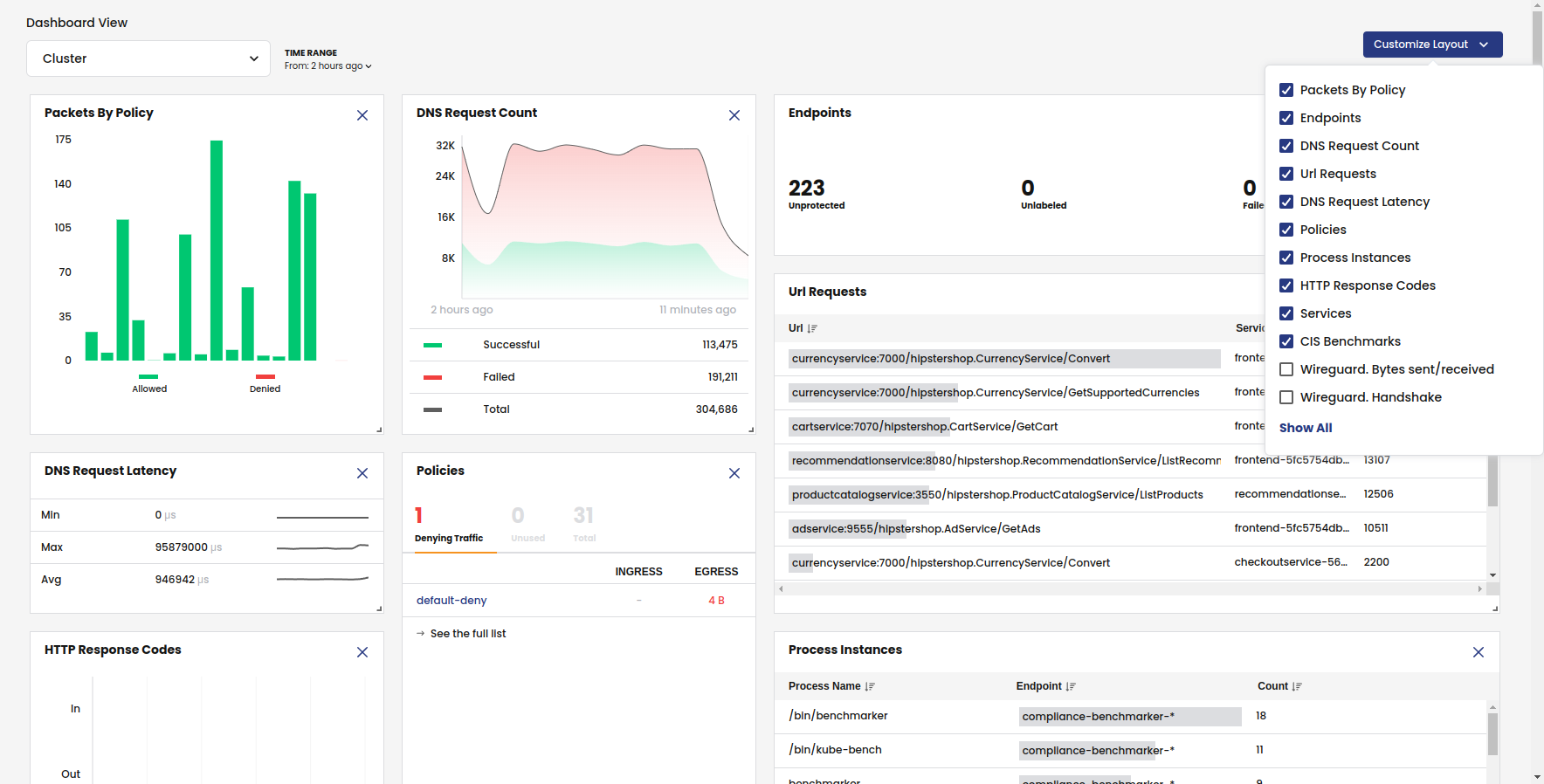
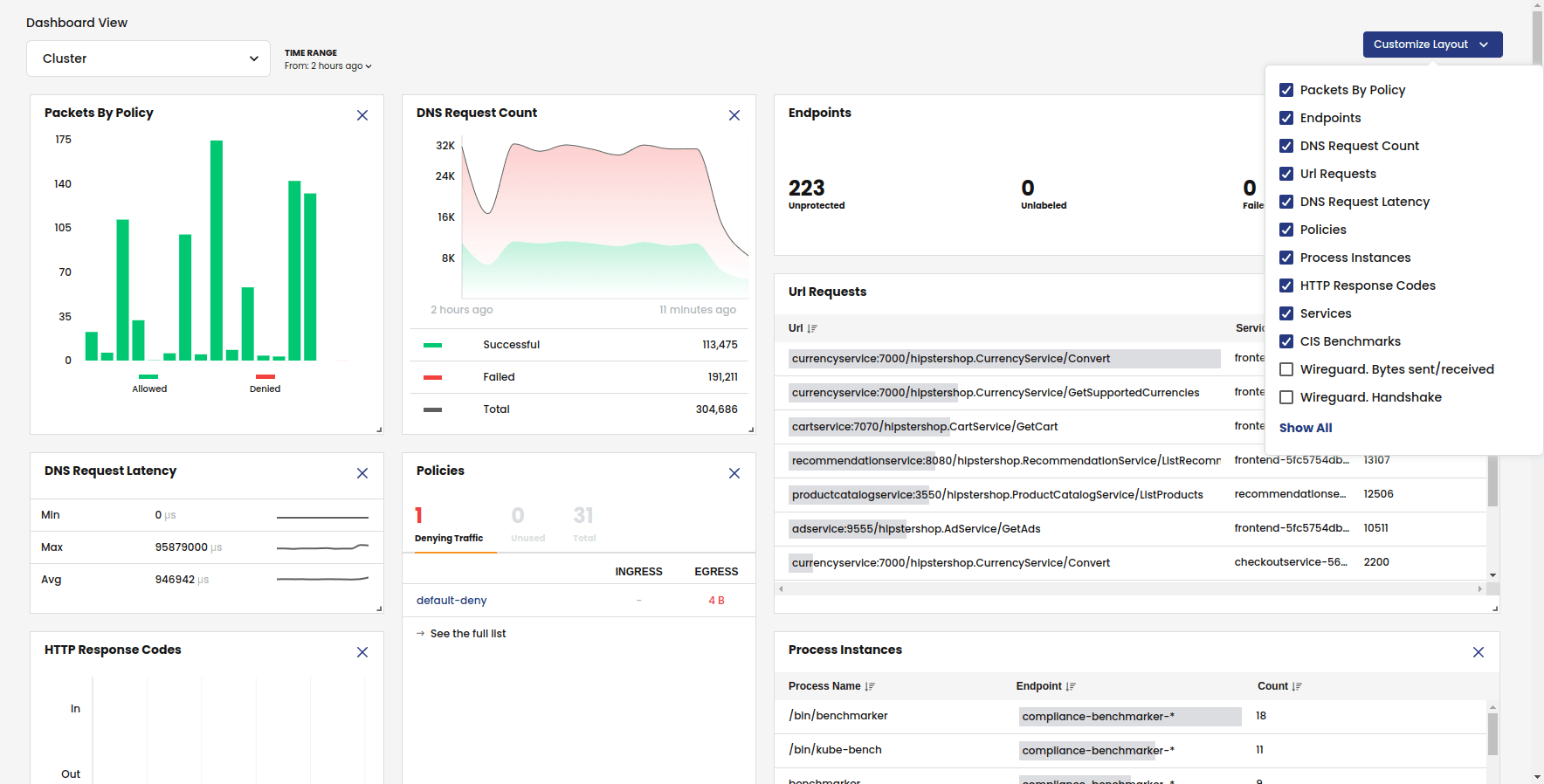
Calico is a network security and observability platform for Kubernetes from Tigera, available as self-managed Calico Enterprise or fully managed Calico Cloud SaaS. It provides a single solution for any Kubernetes distribution running in the cloud, on-premises, or at the edge.
Beyond containers, Calico extends network security to virtual machines and bare-metal hosts, giving teams one consistent policy framework across mixed environments. This is relevant during multi-cloud migration, where workloads may move between providers and span both VMs and containers. It combines container networking, network policy, in-transit encryption, threat detection, and compliance reporting in one platform.
Key features include:
- Container networking and data planes: Provides pod-to-pod networking for single and multi-cluster environments, with a choice of data planes including eBPF, nftables, iptables, Windows, and VPP.
- Network policy and microsegmentation: Enforces network-layer (L3/L4) and application-layer (L7) policies, automatically isolates namespaces to limit lateral movement, and supports policy tiers, deny rules, DNS names, and IP ranges beyond standard Kubernetes network policy.
- Data-in-transit encryption: Encrypts pod-to-pod traffic using WireGuard for in-transit data protection.
- Egress controls and firewall integration: Assigns stable, routable IP addresses to egress traffic and extends existing network firewall rules to Kubernetes workloads.
- Network threat detection: Includes workload-level IDS/IPS using threat intelligence feeds, a workload-centric web application firewall for HTTP traffic, and DDoS detection.
- Observability and compliance: Aggregates flow, DNS, L7, and audit logs with a service graph, dashboards, and packet capture, and supports PCI DSS, HIPAA, GDPR, SOC 2, NIST, and CCPA with audit-ready reporting.
Limitations (as reported by users on G2):
- Learning curve: Constructing network policies can require familiarity with Kubernetes and networking concepts.
- Interface for newcomers: Some users would like the UI and monitoring views to be more intuitive for those who prefer visual tools over configuration files.
- Version upgrades: Occasional compatibility adjustments can arise when moving between versions.
Source: Tigera
2. Illumio Segmentation

Best for: Microsegmentation to contain breaches across hybrid clouds
Strengths: Traffic visibility maps and label-based Zero Trust policy
Things to consider: Policy tuning takes upfront effort at scale
Best practices it can help with: Define a shared security baseline
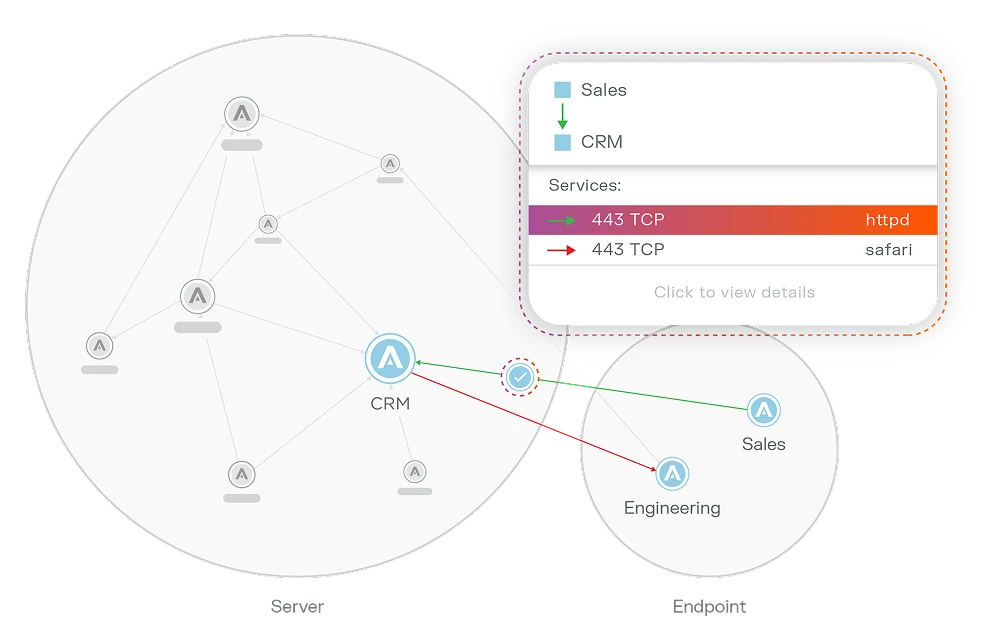
Illumio Segmentation applies zero trust principles to stop lateral movement across hybrid, multi-cloud environments. It maps communication between workloads, endpoints, and data centers, then sets segmentation policy based on labels rather than IP addresses, so policy stays tied to the workload as it moves.
Key features include:
- Traffic visibility mapping: Visualizes application deployments, resources, traffic flows, and metadata across environments to understand what is communicating.
- Label-based policy: Builds segmentation using labels instead of network addresses, so policy follows the workload rather than the network location.
- Multi-environment coverage: Applies consistent segmentation across cloud, endpoints, data centers, containers, and virtual machines.
- Policy recommendations: Uses real-time telemetry and AI to suggest segmentation policies and speed up decision-making.
- Breach containment: Isolates high-value assets and contains attacks at the source, down to a single workstation, laptop, or virtual machine.
Limitations (as reported by users on G2):
- Upfront tuning: Defining the right policies takes time and effort before enforcement.
- Licensing cost: Cost can feel high compared with simpler controls.
- Learning curve: Teams may need training to get comfortable with the model and workflows.
- Scale performance: Some users report console slowness in very large deployments, and note that agents work less well in OT environments.
Source: Illumio
3. Cisco Secure Workload

Best for: Zero trust microsegmentation for VMs, servers, and containers
Strengths: Automated policy discovery from deep workload telemetry
Things to consider: On-premises appliance has heavy requirements
Best practices it can help with: Protect application dependencies
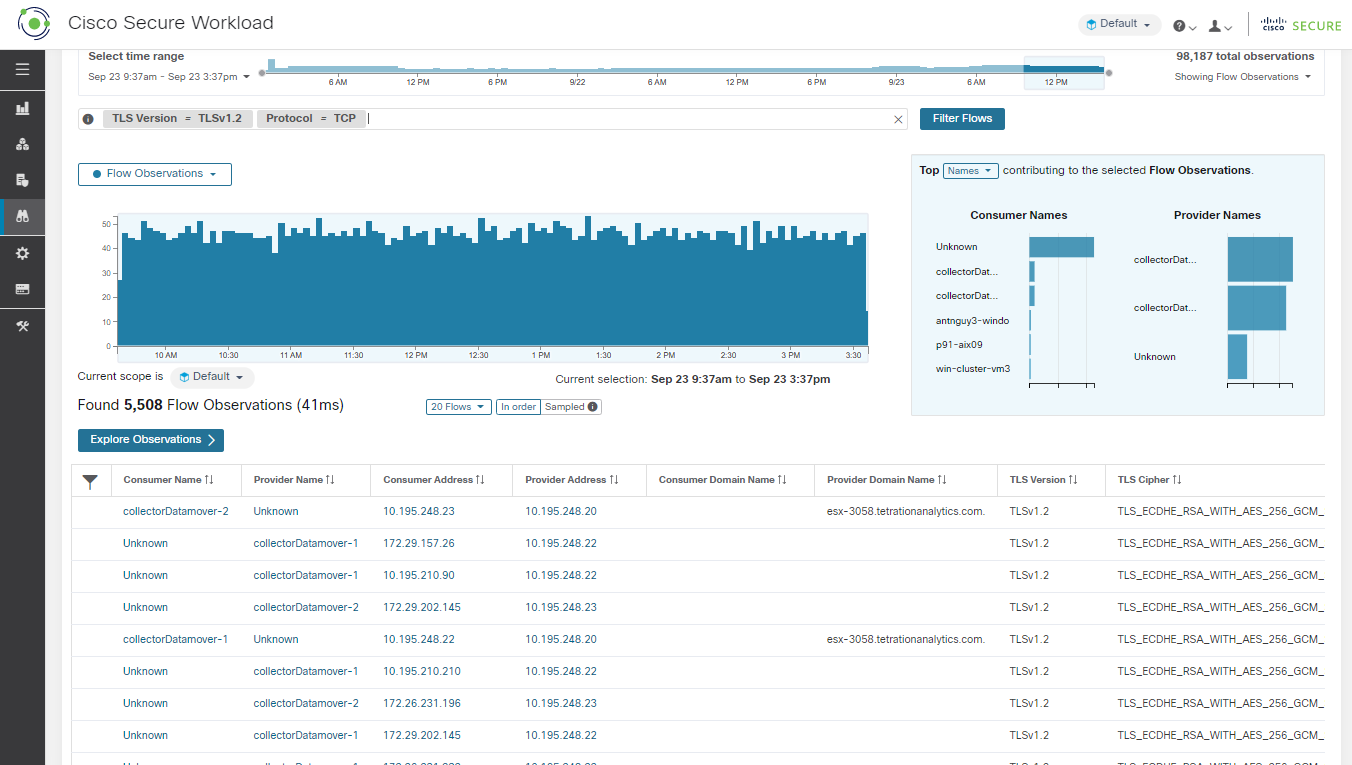
Cisco Secure Workload (formerly Tetration) delivers zero trust microsegmentation across workloads and environments from a single console. It protects bare-metal servers, virtual machines, and containers across on-premises data centers and public clouds. It provides visibility into workload interactions and uses that telemetry to generate policy recommendations and automation.
Key features include:
- Zero trust microsegmentation: Enforces microsegmentation consistently across any workload and location to reduce the attack surface and limit lateral movement.
- Workload visibility: Acts as a single source of truth with comprehensive visibility into every workload interaction.
- Policy recommendations and automation: Generates best-practice policy recommendations tailored to the environment and applications.
- Near real-time alerts and forensics: Provides alerts, automated policies, and an auditable forensic record to close security gaps quickly.
- Flexible deployment: Offered as managed SaaS or an on-premises appliance in small or large form factors, supporting migration to cloud and multicloud environments.
Limitations (as reported by users on G2):
- On-premises requirements: The on-premises appliance has heavy hardware requirements, though the SaaS version is lighter.
- Agent and interface: Some users note that agent installation on servers and the web UI have room for improvement.
- Integration: Users would like tighter integration and a single pane of glass across related tools.
- Product changes: The product has shifted over time, with some functionality moving to other Cisco offerings.
Source: Cisco
4. Akamai Guardicore Segmentation

Best for: Software-based microsegmentation across hybrid estates
Strengths: AI-assisted policy from process-level traffic mapping
Things to consider: Agent uses a kernel module; SaaS update cadence
Best practices it can help with: Inventory application dependencies
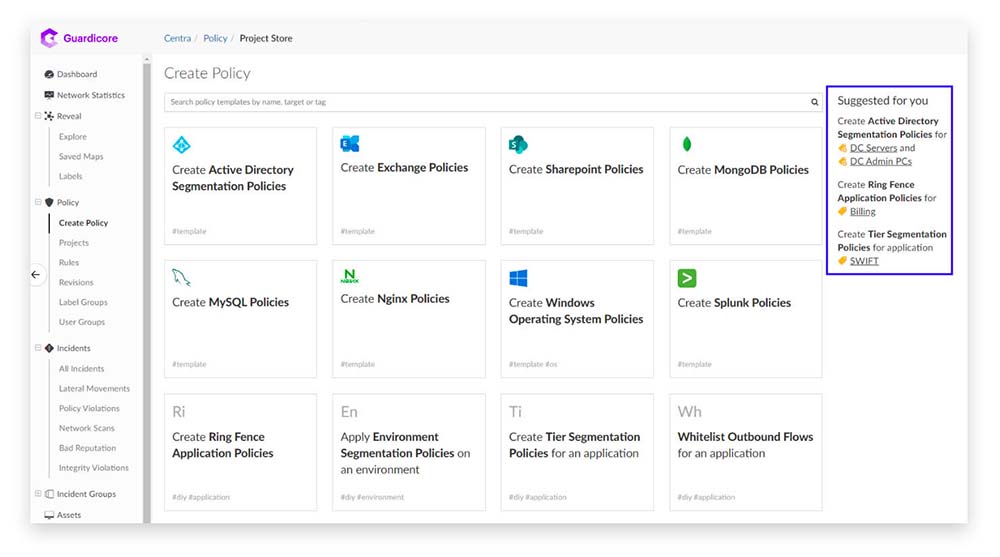
Akamai Guardicore Segmentation is a software-based microsegmentation platform that controls east-west traffic across hybrid cloud, on-premises, OT, and container environments. Policy is decoupled from the network and attaches to workloads, so it moves with applications, which the vendor positions as useful for migrating applications from on-premises into the cloud It uses AI to map application dependencies, auto-label assets, and generate policy recommendations with confidence scoring and a phased rollout workflow.
Key features include:
- Continuous discovery: Maps application dependencies and auto-labels unknown assets for a single, real-time view of network communication.
- AI policy recommendations: Analyzes traffic patterns and exposure to generate policy recommendations with evidence and a recommended phased implementation.
- Granular enforcement: Enforces least-privilege, application-aware policies to block unauthorized east-west communication and contain threats.
- Agent and agentless options: Supports agents for deep control and agentless coverage for in-cloud PaaS, IoT, and OT environments.
- Cross-environment consistency: Applies the same visibility and policy controls to virtual machines, servers, and containers from a single console, extending to on-premises-to-cloud migration.
- Exposure analysis: Correlates asset reachability, open admin ports, and risky tool usage to map exploitable paths and reduce exposure.
Limitations (as reported by users on G2):
- Kernel module: Agent-based enforcement relies on a kernel module that some administrators prefer to avoid.
- Update cadence: Keeping the SaaS platform current can be disruptive, with frequent major releases.
- Reporting: Reporting and dashboards could offer more customizable, business-level insights.
- Support and documentation: Some users cite limited publicly available knowledge and variable support response times.
Source: Akamai
Cloud Security Posture Management and CNAPP
5. Wiz

Best for: Agentless CNAPP visibility across multi-cloud and AI
Strengths: Security graph maps toxic combinations into attack paths
Things to consider: Premium pricing and initial UI learning curve
Best practices it can help with: Conduct post-migration security reviews
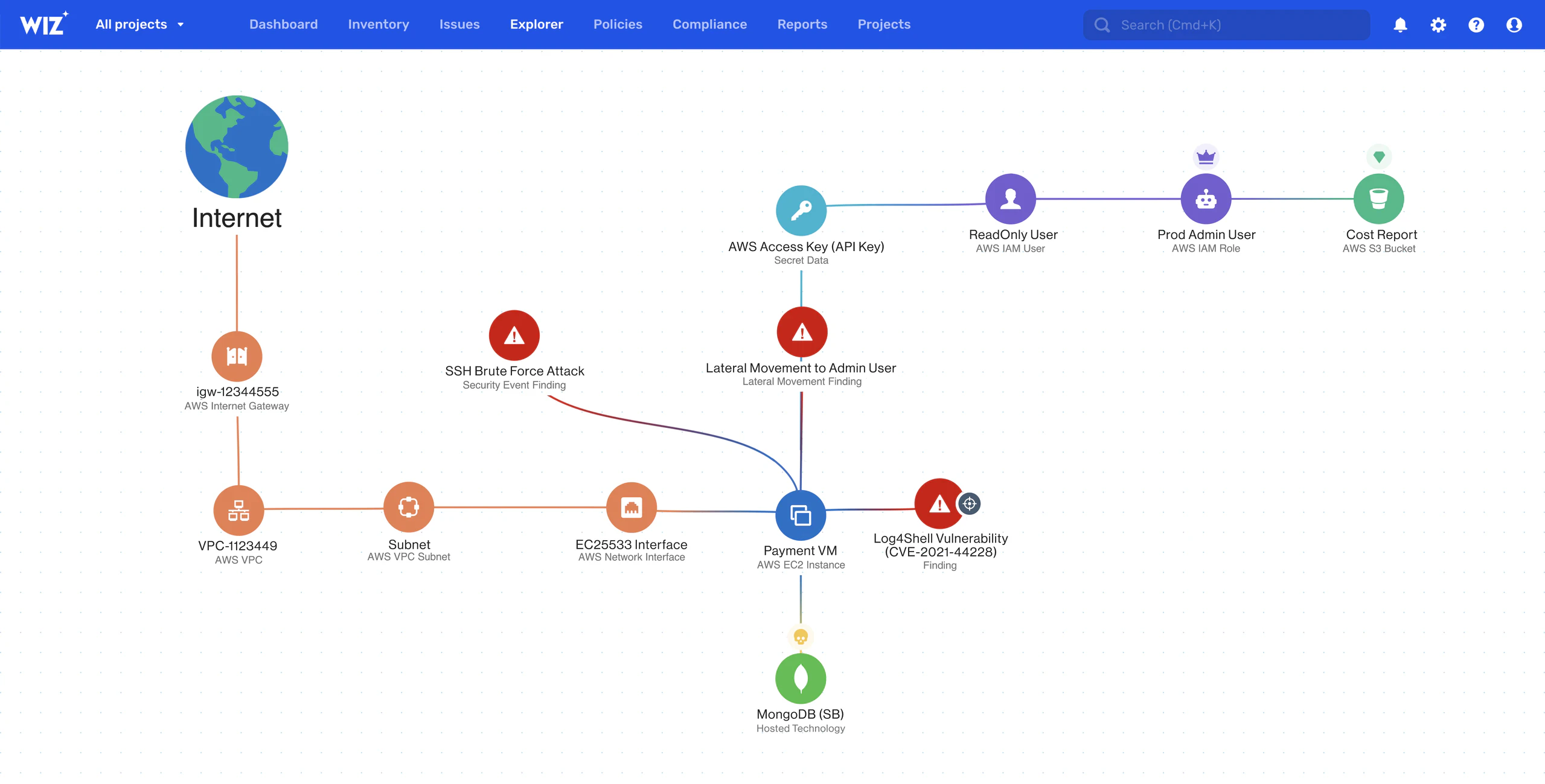
Wiz is an agentless cloud and AI security platform (CNAPP) that connects to cloud environments via API and scans across infrastructure, workloads, identities, data, and applications. It reaches full coverage in minutes without deploying agents, and covers PaaS, virtual machines, containers, serverless functions, models, repositories, and pipelines. It builds a security graph of the relationships between resources to surface the paths most likely to lead to a breach, and adds runtime detection through the Wiz Sensor.
Key features include:
- Agentless visibility: Connects via API in minutes for coverage across cloud and AI resources without agents or ongoing maintenance.
- Security graph: Maps relationships between technologies running in the environment to uncover the most critical pathways to a breach.
- Attack path analysis: Surfaces a prioritized list of toxic combinations of risk with a high probability of being exploited.
- Runtime protection: The Wiz Sensor adds real-time threat detection and response alongside agentless telemetry.
- Code-to-cloud correlation: Traces running cloud resources back to the code, pipeline, and developer, and can generate a fix as a pull request.
- Cloud threat intelligence: Provides out-of-the-box coverage for emerging cloud and AI threats.
Limitations (as reported by users on G2):
- Learning curve: The breadth of features means an initial learning curve and some UI complexity.
- Pricing: It is positioned as a premium enterprise investment.
- Static analysis: Some users say the SAST scanner could be stronger.
- Focus: A few users feel added breadth has made the insight-to-action prioritization feel less focused.
Source: Wiz
6. Prisma Cloud

Best for: Code-to-cloud protection across the application lifecycle
Strengths: Broad CSPM, CWPP, CIEM, and IaC coverage in one platform
Things to consider: Operationally complex; moving under Cortex Cloud
Best practices it can help with: Perform pre-migration security assessments
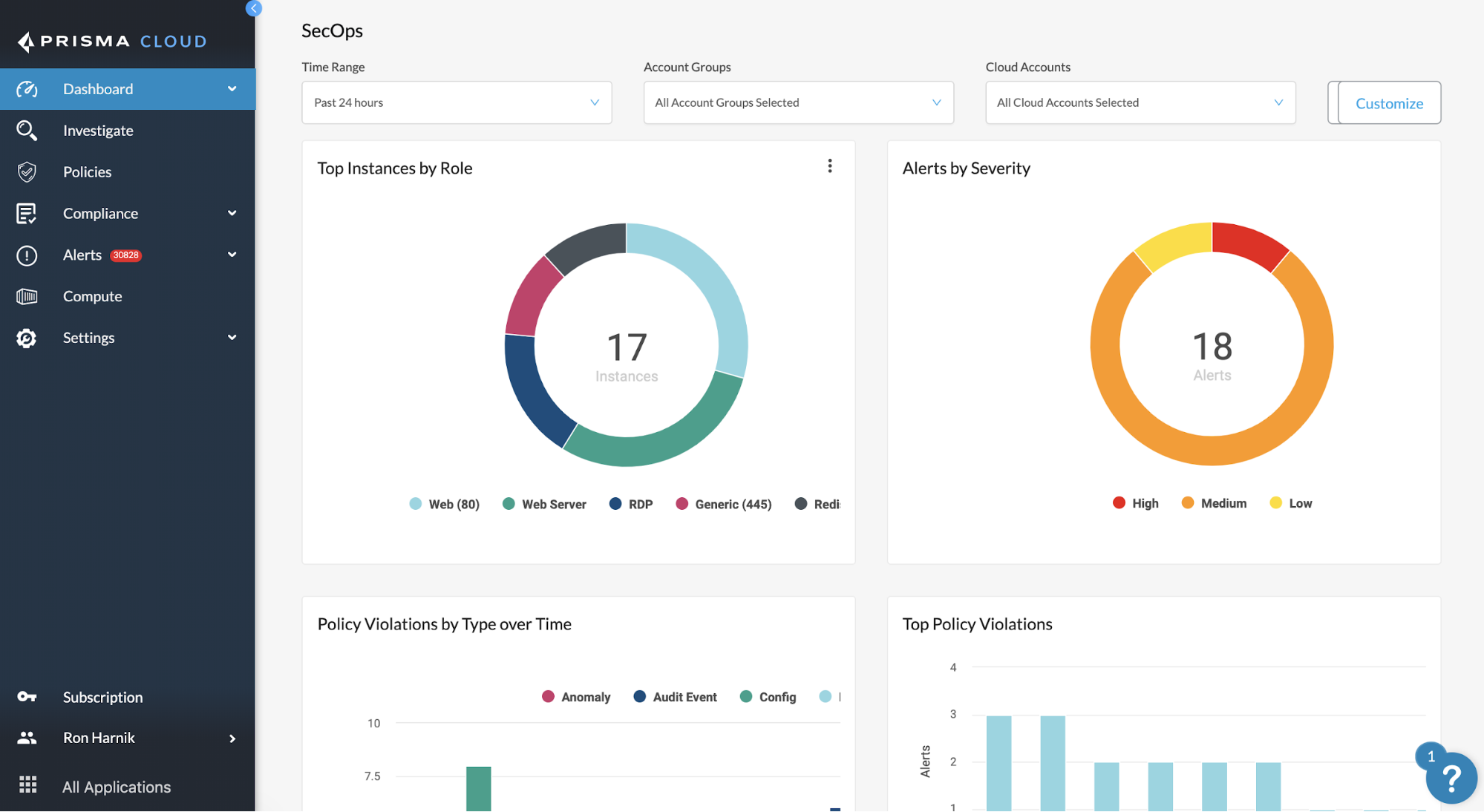
Prisma Cloud is a code-to-cloud platform (CNAPP) from Palo Alto Networks that secures applications across code, infrastructure, and runtime in multicloud and hybrid environments. Palo Alto Networks is bringing Prisma Cloud capabilities under its Cortex Cloud platform, which buyers should factor into planning. It covers infrastructure-as-code, CI/CD, and secrets security in the code stage.
Key features include:
- Code security: Scans infrastructure-as-code templates, CI/CD pipelines, secrets, and open-source components before workloads reach runtime.
- Cloud posture management: Provides cloud security posture management and cloud infrastructure entitlement management to harden the cloud estate.
- Agentless workload scanning: Scans workloads and provides API visibility across the infrastructure layer.
- Runtime protection: Includes threat detection, serverless and host security, and web application and API security.
- AI risk prioritization: Analyzes the blast radius from at-risk assets to help teams prioritize fixes.
- AI security posture management: Provides visibility and control over training data, model integrity, and access to deployed models.
Limitations (as reported by users on PeerSpot):
- Operational complexity: Some modules are reported to be difficult to implement operationally.
- Multiple views: Users note different consoles and views can make it harder for decentralized teams to get a unified overview.
- False positives: Some users report false positive alerts.
- Cost and integration: Cost is reported as high in some regions, and integration with third-party vendors could be improved.
Source: Palo Alto Networks
7. Microsoft Defender for Cloud
/images/2023/08/24/logo-microsoft-defender.png)
Best for: CNAPP for Azure-centric hybrid and multicloud estates
Strengths: Secure Score, CSPM, and workload protection in one portal
Things to consider: Setup complexity and cost scale with resources
Best practices it can help with: Validate cloud security baselines
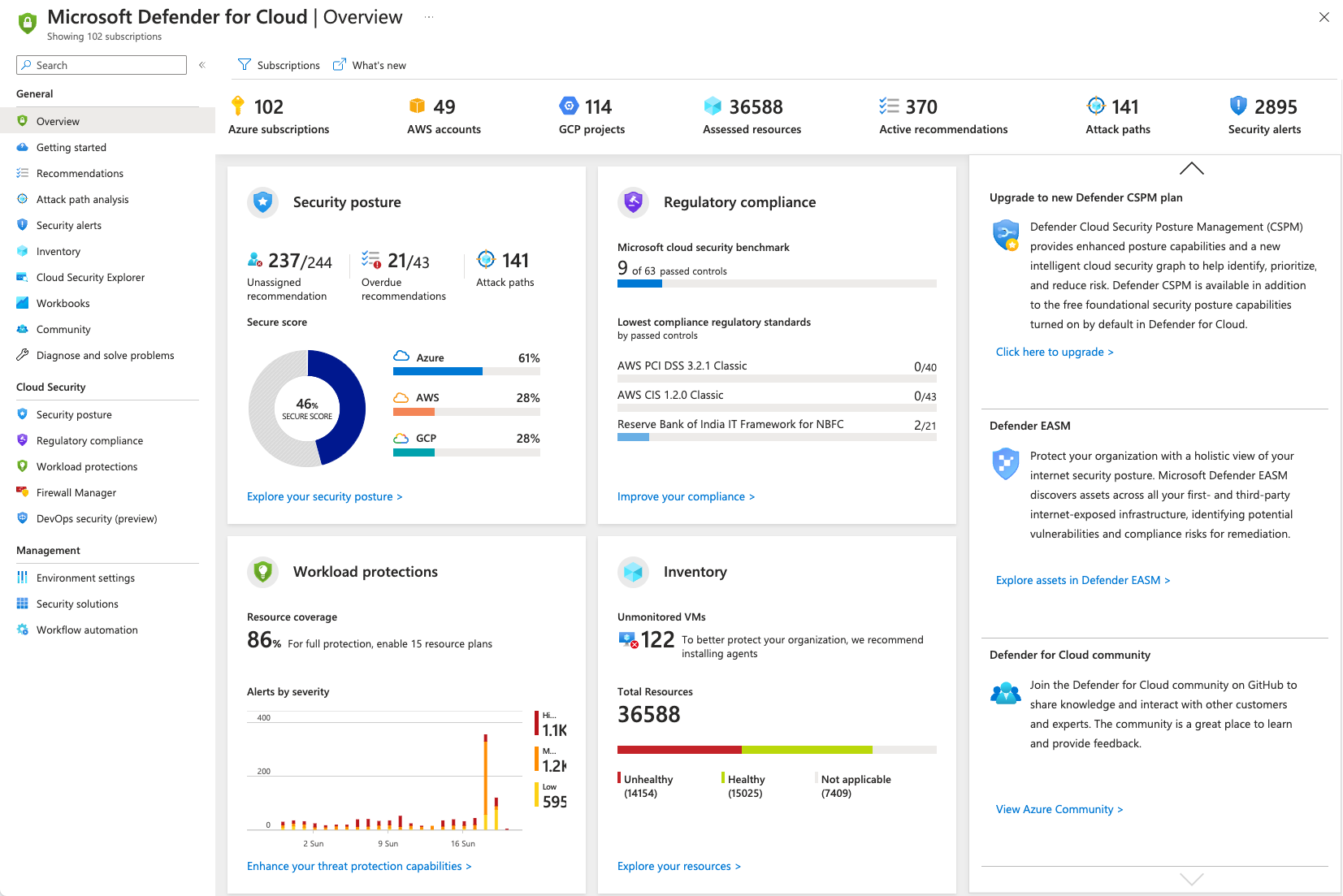
Microsoft Defender for Cloud is a CNAPP that protects hybrid and multicloud environments across Azure, AWS, and Google Cloud from code to runtime. It was formerly known as Azure Security Center. It combines cloud security posture management, cloud workload protection, and DevOps security, and provides a Secure Score with prioritized recommendations.
Key features include:
- Cloud security posture management: Delivers end-to-end visibility with contextual risk prioritization and remediation from code to runtime.
- Workload protection: Defends workloads including virtual machines, containers, storage, databases, and serverless functions.
- DevOps security: Finds misconfigurations, secrets, and vulnerabilities across multi-pipeline environments before they reach production.
- Secure Score: Tracks security posture and provides prioritized recommendations to improve it.
- Threat detection and response: Provides cloud-native detection and response integrated into the Microsoft Defender portal.
- Multicloud coverage: Extends protection across Azure, AWS, and Google Cloud, with hybrid support through Azure Arc.
Limitations (as reported by users on G2):
- Setup complexity: Initial setup and configuration can be complex for teams without dedicated cloud security expertise.
- Cost scaling: Costs can add up depending on the number of resources and the volume of data scanned.
- Alert volume: The volume of recommendations and alerts can feel overwhelming.
- Licensing and integration: Licensing can be complicated, and integration with some third-party products is difficult.
Source: Microsoft
8. Orca Security

Best for: Agentless CNAPP with fast multi-cloud coverage
Strengths: SideScanning deploys without agents; attack path analysis
Things to consider: Reporting customization and periodic scan cadence
Best practices it can help with: Detect misconfigurations after migration
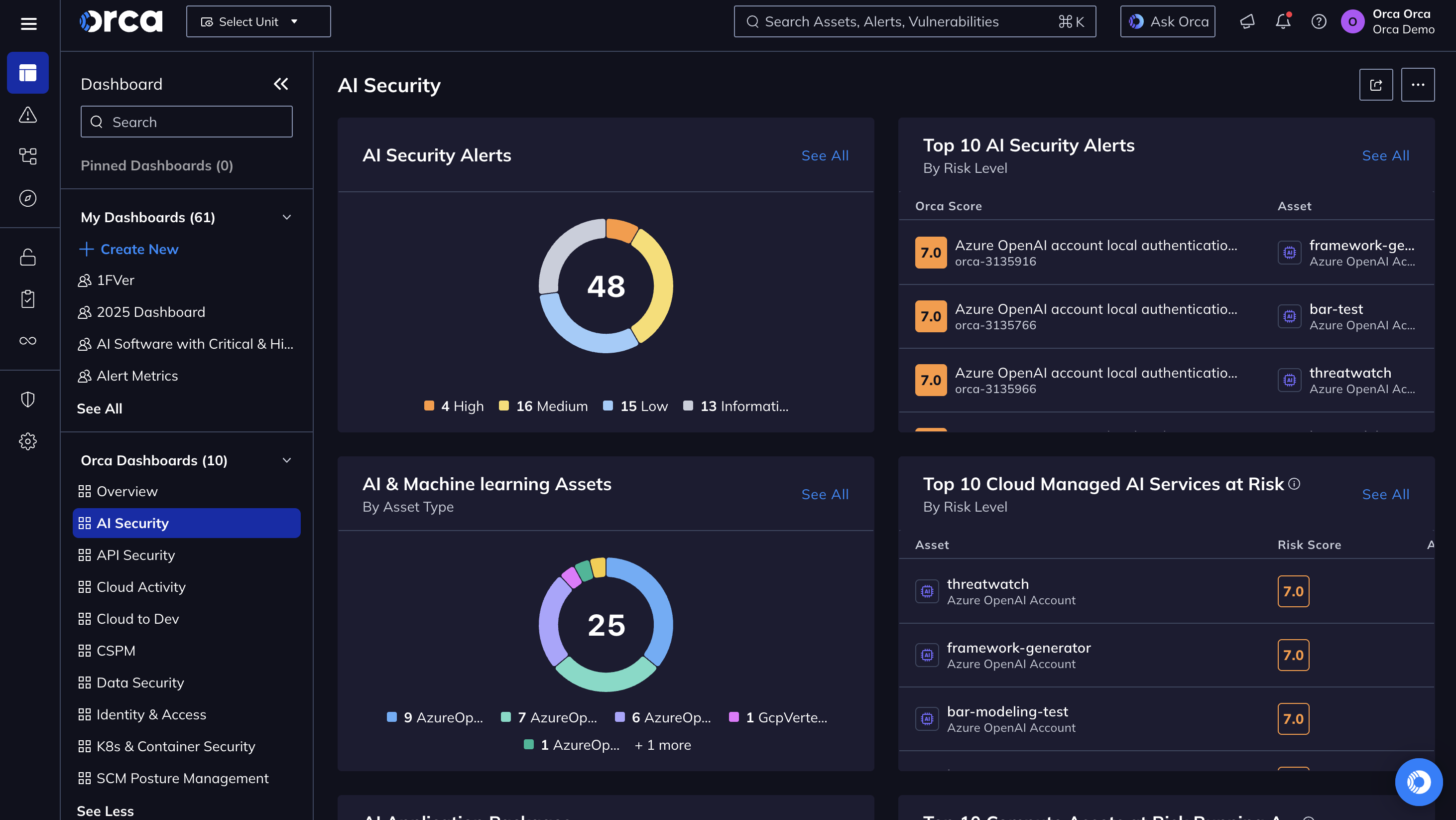
Orca Security is an agentless-first CNAPP that connects to cloud environments and uses patented SideScanning technology to read workload data out-of-band, delivering coverage in minutes without deploying agents. It covers AWS, Azure, Google Cloud, and other providers. It consolidates cloud security posture management, workload protection, entitlement management, data security posture management, container and Kubernetes security, API security, and compliance into a single platform with a unified data model.
Key features include:
- Agentless SideScanning: Reads cloud configuration and workload runtime data out-of-band, without agents, for coverage across the cloud estate in minutes.
- Unified platform: Consolidates CSPM, CWPP, CIEM, DSPM, container and Kubernetes security, and API security in one data model.
- Attack path analysis: Scores each alert by factors including asset context, sensitive data exposure, and attack paths to prioritize remediation.
- Alert grouping: Groups related alerts into Missions to focus remediation effort, including cases where one root cause drives many alerts.
- Code-to-cloud tracing: Traces findings from production back to their code origins and integrates into git repositories and CI/CD workflows.
- Orca AI: Provides AI-generated code fixes, asset discovery queries, an assistant, and AI agents for analysis and workflows.
Limitations (as reported by users on G2):
- Reporting customization: Out-of-the-box dashboards and reporting can feel rigid, especially for non-technical stakeholders.
- RBAC granularity: Configuring deeply nested role-based access permissions can be complex.
- Alert volume: Onboarding large or legacy environments can generate a high volume of alerts at first.
- Scan cadence: Agentless scanning runs on a periodic cycle rather than providing continuous real-time blocking.
Source: Orca Security
Conclusion
Effective multi-cloud VM migration security requires more than simply moving workloads between cloud providers. Organizations need consistent security controls, strong identity and access management, encryption, network segmentation, continuous monitoring, and rigorous validation before and after migration. By applying standardized security practices throughout the migration lifecycle and continuously assessing workloads in their new environments, organizations can reduce migration risk, maintain compliance, and ensure workloads remain secure regardless of the cloud platform hosting them.