TL;DR: VM migration security solutions protect workloads as they move between environments. Best for: Calico by Tigera (network identity and policy on Kubernetes), Illumio and Akamai Guardicore (microsegmentation), and Veeam (portable, verified recovery).
What Are VM Migration Security Solutions?
Enterprise VM migration requires securing workloads before, during, and after transit. Best solutions enforce end-to-end encryption, least-privilege access, and automated compliance checks. Key tools include agentless replication and cloud-native posture management.
Key capabilities for VM migration security solutions include:
- Automated workload discovery and inventory: Automatically identify VMs, applications, dependencies, and configurations to ensure all migration candidates are tracked and protected.
- Pre-migration security and vulnerability assessment: Scan workloads for vulnerabilities, misconfigurations, outdated software, and compliance gaps before migration begins.
- Configuration and compliance validation: Verify migrated VMs meet security baselines, regulatory requirements, and organizational configuration standards before production deployment.
- VM image integrity verification: Validate VM images with cryptographic hashes or digital signatures to detect tampering or corruption during migration.
- Encryption for data in transit and at rest: Protect VM data with strong encryption during transfer and while stored, backed by secure key management practices.
- Automated rollback and recovery: Enable rapid restoration to a known-good state if migration failures, security issues, or data integrity problems occur.
- Network segmentation and microsegmentation: Isolate migration traffic and enforce workload-level security policies to reduce lateral movement and limit attack exposure.
In this article:
- VM Migration Security Solutions at a Glance
- Why Enterprises Need Security Solutions for VM Migration
- Core Capabilities of VM Migration Security Solutions
- Notable VM Migration Security Solutions
VM Migration Security Solutions at a Glance
The table below summarizes the key differences between the solutions covered in this article. We explore each of them in more detail in the sections that follow.
| Category | Solution | Best For | Key Strengths | Things to Consider |
| Workload and Network Security | 1. Calico by Tigera | Keeping VM network identity and policy when moving to Kubernetes | Preserves IP and VLAN, tiered policy, eBPF flow visibility | Kubernetes-centric; policy design has a learning curve |
| Workload and Network Security | 2. Illumio Segmentation | Zero Trust microsegmentation across hybrid, multi-cloud workloads | Traffic visibility map, label-based policy, breach containment | Upfront policy tuning effort; licensing cost can be high |
| Workload and Network Security | 3. Akamai Guardicore Segmentation | AI-assisted microsegmentation to stop lateral movement | Dependency mapping, agent/agentless, L7 policy enforcement | Policy design effort at scale; setup and licensing cost |
| Workload and Network Security | 4. Trend Vision One – Cloud Security | Protecting workloads and data across cloud migration | Virtual patching via IPS, CNAPP, compliance automation, XDR | Licensing complexity and cost; some manual input needed |
| Secure Migration and Recovery | 5. Veeam Data Platform | Portable backups and cross-hypervisor migration with clean recovery | Instant Recovery, immutability, verified clean restores | Higher-end pricing; some app integrations need setup |
| Secure Migration and Recovery | 6. Acronis Cyber Protect | Assisted VMware-to-Hyper-V or Nutanix migration with backup | Agentless migration, full VM backup, security validation | Support speed; cost; occasional backup integrity issues |
| Secure Migration and Recovery | 7. HPE Zerto Software | Near-synchronous replication for migration and DR | Continuous data protection, one-click failover, no lock-in | Support since HPE deal; complex licensing; higher cost |
| Secure Migration and Recovery | 8. Vinchin Backup & Recovery | Cross-platform V2V migration across 15+ virtualization platforms | Multi-hypervisor V2V, instant restore, agentless console | Reporting depth; some new distributions unsupported |
Why Enterprises Need Security Solutions for VM Migration
Protecting Sensitive Data During Transfer
During VM migration, sensitive data is at risk as it traverses networks that may not have the same level of security controls as the source or destination environments. Attackers can exploit unsecured data in transit, leading to data breaches, loss of intellectual property, and compliance violations.
Solution: Security solutions address these risks by implementing encryption and secure tunneling protocols, ensuring that data remains protected wherever it is transferred.
The need to protect data during migration is amplified by regulatory requirements such as GDPR, HIPAA, and PCI DSS, which mandate strict controls over the movement and handling of sensitive information. Enterprises must demonstrate that they have taken adequate measures to secure data in motion, and VM migration security solutions provide tools for monitoring and auditing these protections throughout the migration lifecycle.
Preventing Unauthorized Access to Migration Workloads
Unauthorized access to workloads during migration poses risks, including privilege escalation, data exfiltration, or sabotage. Attackers may target weak authentication mechanisms, misconfigured permissions, or unsecured endpoints exposed during migration.
Solution: VM migration security solutions address these threats by enforcing strong authentication, least-privilege access, and real-time monitoring of access attempts.
By integrating access controls and monitoring into the migration workflow, organizations can detect and respond to suspicious activities before they escalate into full security incidents. These solutions often include audit trails and detailed logging, providing visibility into who accessed workloads, when, and from where.
Maintaining Security Controls Across Different Environments
Migrating VMs often involves moving workloads across diverse environments, such as from on-premises data centers to public clouds, or between different cloud providers. Each environment has its own set of security controls, policies, and compliance requirements, which can create gaps during migration.
Solution: VM migration security solutions help bridge these gaps by ensuring that security policies and controls are consistently applied before, during, and after migration.
Maintaining consistent security across heterogeneous environments reduces the risk of policy drift and misalignment, which can lead to vulnerabilities. These solutions automate the application and enforcement of firewalls, access rules, and compliance checks, enabling organizations to maintain a unified security posture regardless of the underlying infrastructure.
Related content: See how VMware live migration works and how to keep workloads protected as they move between environments.
Reducing Misconfiguration and Human Error
Human error and misconfiguration are leading causes of security incidents during VM migration. Complex migration workflows, combined with inconsistent manual processes, increase the likelihood of accidental exposure or improper setup of security controls.
Solution: VM migration security solutions address this by automating tasks such as configuration validation, policy enforcement, and rollback operations.
Automation reduces the risk of mistakes and ensures repeatability and standardization in the migration process. With automated tools handling routine checks and corrections, IT teams can focus on managing exceptions and higher-level security concerns.
Core Capabilities of VM Migration Security Solutions
1. Automated Workload Discovery and Inventory
Automated workload discovery provides a complete view of all VMs slated for migration. Security solutions scan existing environments to identify every workload, including those that may be overlooked in manual inventories. This ensures that no VM is left unprotected during migration and that security policies can be uniformly applied.
Inventory features typically provide details such as:
- Operating system
- Installed applications
- Network configurations
- Resource utilization
By maintaining an up-to-date inventory, organizations can prioritize workloads based on risk and criticality and reduce the likelihood of missing or misclassifying sensitive VMs.
2. Pre-Migration Security and Vulnerability Assessment
Before migration, it is critical to assess the security posture of workloads. Pre-migration assessments identify vulnerabilities, outdated software, and configuration weaknesses that could be exploited during or after migration. Security solutions perform automated scans and generate reports, helping organizations remediate issues before they are carried into the new environment.
These assessments provide recommendations such as:
- Patching known vulnerabilities
- Updating security policies
- Disabling unnecessary services
By addressing risks upfront, organizations reduce the attack surface and increase the likelihood of an incident-free migration.
3. Configuration and Compliance Validation
Configuration and compliance validation ensure that migrated workloads adhere to organizational and regulatory standards. Security solutions automatically:
- Check VM configurations against predefined baselines
- Flag deviations
- Enforce corrective actions
This helps prevent the introduction of non-compliant or insecure workloads into the target environment. Compliance validation is particularly important for industries subject to strict regulatory requirements. Automated checks generate audit-ready reports, simplifying compliance efforts and reducing the risk of penalties. Consistent validation throughout the migration process helps maintain a secure and compliant IT environment.
4. VM Image Integrity Verification
VM image integrity verification protects against tampering and corruption during migration. Security solutions:
- Calculate cryptographic checksums
- Use digital signatures
- Validate the authenticity and integrity of VM images before and after transfer
This prevents the deployment of compromised images that could introduce malware or backdoors. Continuous verification ensures that only trusted and unaltered images are used in production environments. By automating this process, organizations can quickly detect and respond to integrity issues.
5. Encryption for Data in Transit and at Rest
Encryption is a requirement for protecting data during VM migration. Security solutions provide encryption mechanisms for data both in transit, while being transferred between environments, and at rest, when stored on disk. This ensures that sensitive information remains unreadable to unauthorized parties.
Protocols such as TLS for data in transit and AES for data at rest are commonly used. Security solutions also:
- Manage encryption keys
- Control access
- Monitor encryption status throughout the migration process
This approach supports compliance with regulatory standards and reduces the risk of data breaches.
6. Automated Rollback and Recovery
Automated rollback and recovery capabilities allow organizations to revert to a previous state if issues arise during migration. This minimizes downtime and prevents the propagation of errors or security vulnerabilities introduced during the process. Security solutions:
- Monitor migration activities
- Maintain restore points
- Enable rapid recovery when needed
Rollback and recovery features support business continuity and reduce the impact of failed or compromised migrations. By automating these processes, organizations can restore service availability and avoid data loss.
7. Network Segmentation and Microsegmentation
Network segmentation and microsegmentation isolate workloads and restrict lateral movement within environments. During VM migration, security solutions dynamically apply segmentation policies to ensure that workloads remain isolated and protected from unauthorized access.
Microsegmentation:
- Defines security policies at the VM or application level
- Reduces the attack surface
- Contains potential breaches
Automated enforcement of segmentation policies ensures consistency across environments and helps organizations maintain network security throughout the migration lifecycle.
Notable VM Migration Security Solutions
How we selected these solutions: We shortlisted VM migration security solutions based on their ability to protect workloads during and after migration, enforce consistent segmentation and access controls, and preserve data integrity and recoverability across environments.
Workload and Network Security Solutions
1. Calico by Tigera

Best for: Keeping VM network identity and policy when moving to Kubernetes
Strengths: Preserves IP and VLAN, tiered policy, eBPF flow visibility
Things to consider: Kubernetes-centric; policy design has a learning curve
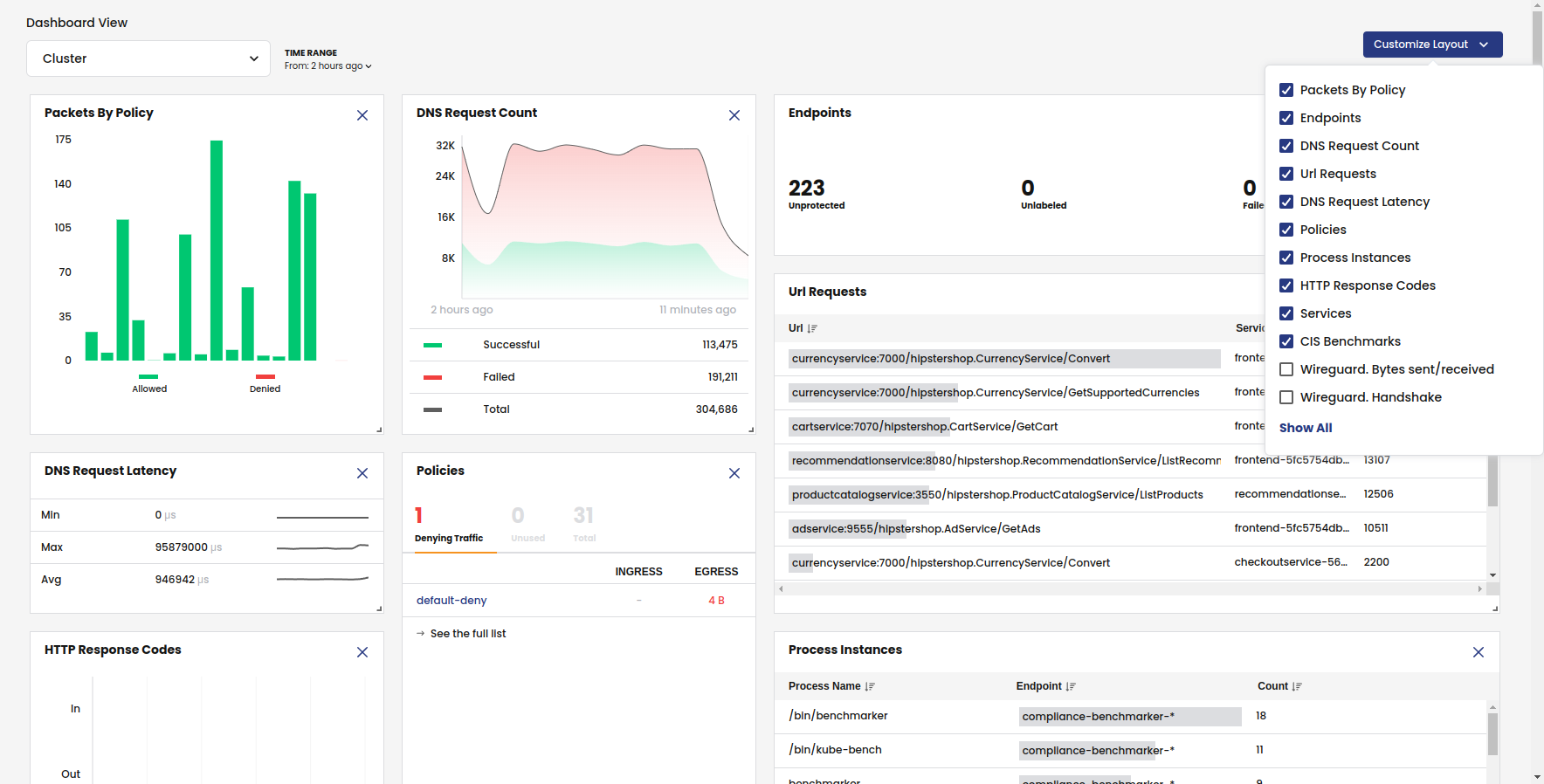
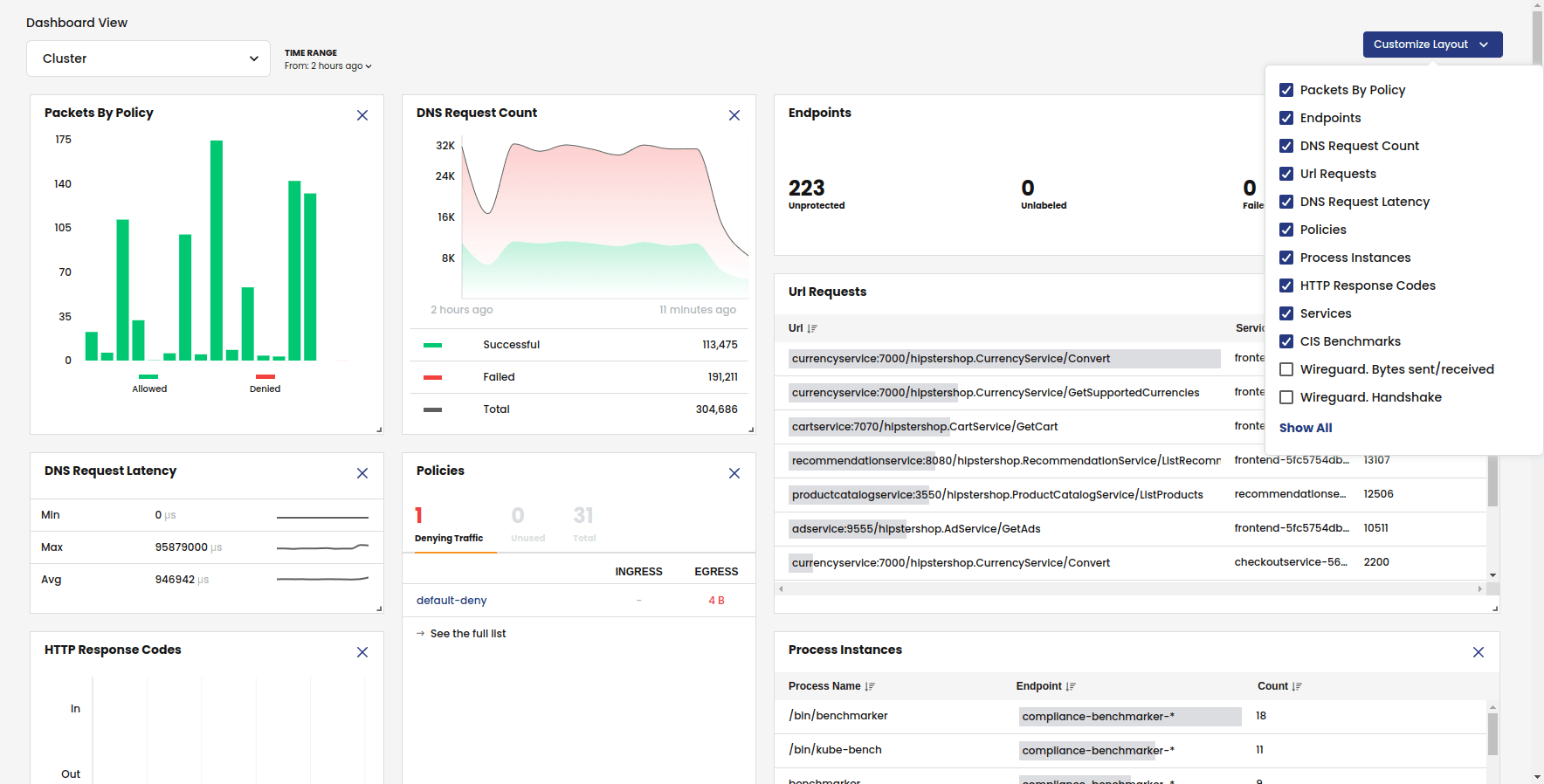
Calico by Tigera is a networking and network security solution for moving virtual machines onto Kubernetes without changing surrounding systems. It connects, secures, and observes VMs using constructs teams relied on in NSX, and it runs VMs and containers on the same cluster. It preserves each VM’s original network identity, so upstream firewalls, DNS records, monitoring, and peer services continue to work after the move. This lets teams migrate workloads one at a time and modernize them later on their own timeline.
Key features include:
- VLAN-preserving L2 bridge: Extends existing VLANs into Kubernetes so a VM keeps its original IP and VLAN membership, and both follow the workload during live migration between nodes with no NAT.
- L2 and L3 on one cluster: Offers both L2 bridge mode for identity preservation and L3 networking (BGP, VXLAN, IPIP) on the same cluster, so the choice is made per workload.
- Tiered and staged policies: Supports hierarchical policy tiers for security, platform, and application teams, plus staged policies that log what would be allowed or denied before enforcement.
- NSX concept translation: Maps NSX constructs such as segments, gateways, the distributed firewall, and load balancing to Calico primitives like networks, IP pools, BGP, and network policy.
- eBPF flow observability: Records source, destination, port, protocol, and the policy decision, with L7 visibility and service topology graphs.
- Distribution-agnostic operation: Runs on Kubernetes distributions including OpenShift, Rancher, EKS, GKE, AKS, upstream, and bare metal, using the same CNI and policy model.
Limitations (as reported by users on G2):
- Onboarding curve: Teams new to Kubernetes networking may need time to become comfortable with policy tiers and workload identity concepts.
- Documentation depth: Some users would like more real-world examples and templates to speed up policy creation.
- Edition-tiered features: Certain advanced capabilities are available in commercial editions rather than the open-source version.
Source: Tigera
2. Illumio Segmentation

Best for: Zero trust microsegmentation across hybrid, multi-cloud workloads
Strengths: Traffic visibility map, label-based policy, breach containment
Things to consider: Upfront policy tuning effort; licensing cost can be high
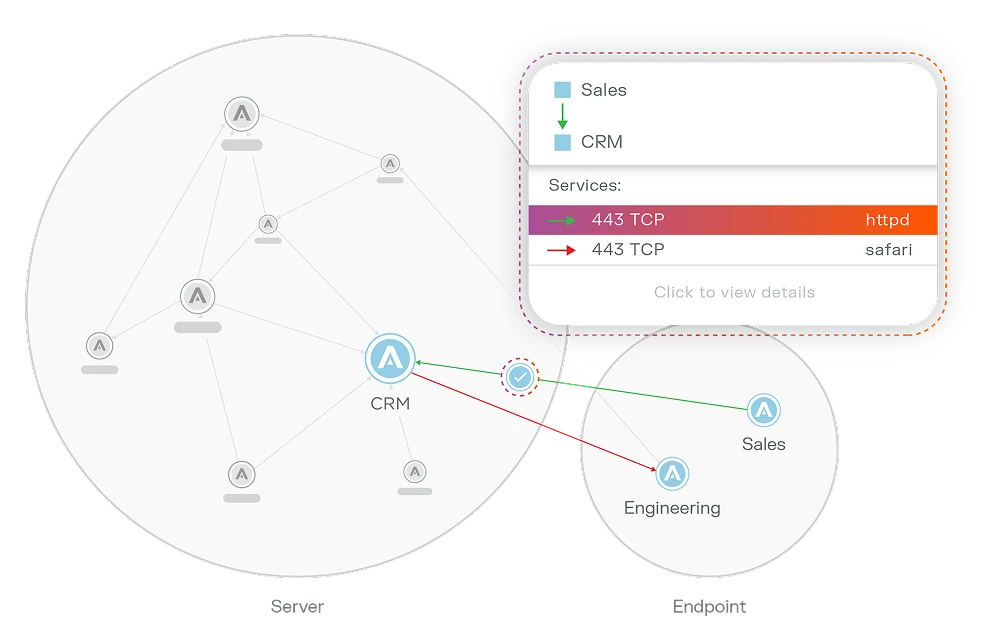
Illumio Segmentation is a microsegmentation solution that applies zero trust principles to stop lateral movement across hybrid, multi-cloud environments. It maps communication between workloads and devices, sets granular segmentation policies, and isolates high-value assets. It works across cloud, endpoint, and data center environments, covering virtual machines, containers, and IT/OT systems, and applies consistent segmentation.
Key features include:
- Traffic visibility: Visualizes application deployments, resources, traffic flows, and metadata across cloud, endpoints, and data centers.
- Zero trust segmentation: Enforces least-privilege access and removes implicit trust to contain breaches.
- Cloud segmentation: Builds consistent, dynamic segmentation across hybrid, multi-cloud environments and containers.
- Endpoint control: Monitors endpoint traffic, controls application access, and isolates individual workstations or VMs.
- Data center coverage: Monitors traffic across data centers, containers, IT/OT, and VMs, and segments workloads.
- AI-assisted policy: Uses real-time telemetry and AI to recommend segmentation policies.
Limitations (as reported by users on G2):
- Upfront tuning effort: Defining the right policies takes time and planning.
- Licensing cost: Pricing can feel high relative to simpler controls.
- Change risk: High-impact misconfigurations are possible without careful planning.
- Scale performance: Some users report console slowness in very large deployments.
Source: Illumio
3. Akamai Guardicore Segmentation

Best for: AI-assisted microsegmentation to stop lateral movement
Strengths: Dependency mapping, agent/agentless, L7 policy enforcement
Things to consider: Policy design effort at scale; setup and licensing cost
Akamai Guardicore Segmentation is a microsegmentation solution that enforces zero trust across hybrid cloud by turning network- and process-level insight into policy. It discovers assets, maps application dependencies, and enforces granular rules that restrict east-west communication. It covers IT, cloud, OT, and container workloads and supports both agent-based and agentless deployment.
Key features include:
- Continuous discovery: Provides real-time visibility into IT, cloud, OT, and AI workloads and identifies managed and unmanaged assets.
- AI policy recommendations: Analyzes traffic patterns to generate policy recommendations with confidence scoring and phased implementation.
- Granular enforcement: Stops unauthorized east-west communication in real time.
- Application ring-fencing: Isolates critical applications with communication boundaries based on dependencies.
- Agent and agentless options: Uses agents for deep visibility and agentless collection for in-cloud PaaS, IoT, and OT environments.
- Compliance support: Generates reports and maps that support PCI-DSS, HIPAA, and SWIFT requirements.
Limitations (as reported by users on PeerSpot):
- Deployment complexity: Mapping application dependencies and labeling assets at scale takes time and coordination.
- Licensing cost: Pricing is significant, and licensing model changes have raised costs for some customers.
- Kernel module: The host agent uses a kernel module, which some teams evaluate carefully.
- Update cadence: SaaS updates and major releases can disrupt operations.
- Reporting and integration: Dashboards and SIEM or SOAR integration could be easier to configure.
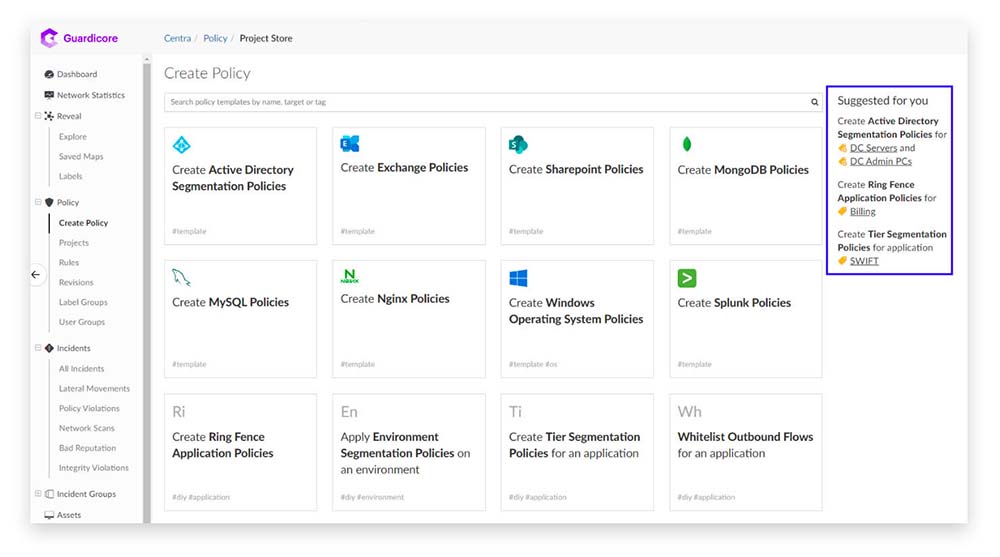
Source: Akamai
4. Trend Vision One – Cloud Security

Best for: Protecting workloads and data across cloud migration
Strengths: Virtual patching via IPS, CNAPP, compliance automation, XDR
Things to consider: Licensing complexity and cost; some manual input needed
Trend Vision One – Cloud Security protects workloads as organizations move them to the cloud and run hybrid environments. It provides visibility across endpoints, workloads, cloud storage, containers, serverless functions, source code, network, and cloud configuration in development and at runtime. During migration and expansion, it automates security policies, deployments, monitoring, and compliance reporting across the data center and cloud.
Key features include:
- Hybrid cloud workload protection: Prevents, detects, investigates, and responds to risks across the data center and cloud, securing endpoints, VMs, workloads, cloud storage, containers, and serverless functions.
- Virtual patching via IPS: Delivers virtual patches through intrusion prevention to protect end-of-support and legacy systems.
- Automation for migration: Automates security policies, deployments, monitoring, and compliance reporting.
- Compliance evaluation: Evaluates requirements and produces evidence for GDPR, PCI DSS, HIPAA, and NIST.
- CNAPP capabilities: Covers build time and runtime with cloud-native application protection.
- XDR and MDR integration: Correlates multi-layer data for detection and response.
Limitations (as reported by users on PeerSpot):
- Licensing complexity: Comprehensive coverage can require separate subscriptions.
- Cost: Pricing is on the higher side for some users.
- Manual input: Automatic threat response still requires user input in some cases.
- Firewall automation: Firewall configuration could be more automated.
- Authentication integration: Connections with different authentication types and user groups for cloud services could be improved.
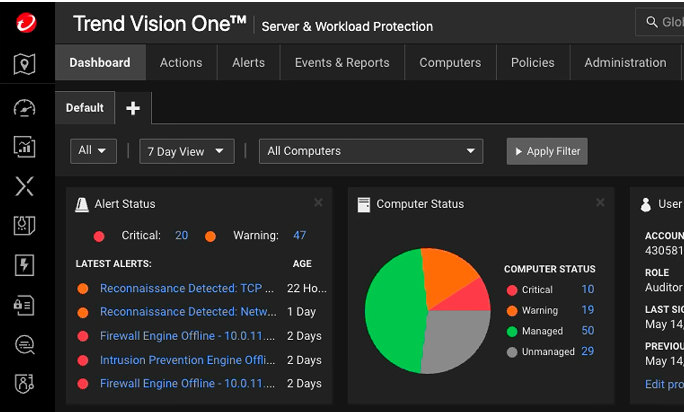
Source: TrendMicro
Secure Migration and Recovery Platforms
5. Veeam Data Platform

Best for: Portable backups and cross-hypervisor migration with clean recovery
Strengths: Instant Recovery, immutability, verified clean restores
Things to consider: Higher-end pricing; some app integrations need setup
Veeam Data Platform, powered by Veeam Backup & Replication, protects virtual, physical, and cloud workloads and moves them across hypervisors and clouds. Its portable, self-describing backups let teams recover or migrate workloads without lock-in. It pairs migration with immutable storage, verified recovery, and threat detection. It supports VMware, Hyper-V, and AHV, along with workloads on AWS, Azure, and Google Cloud.
Key features include:
- Data portability: Portable backups move and recover workloads across hypervisors and clouds.
- Instant recovery: Restores workloads in seconds and supports recovery to Azure during an outage.
- Immutable, hardened backups: Provides immutable repositories, zero trust access, RBAC, four-eyes approvals, and a hardened Linux appliance.
- Clean recovery verification: Restores to an isolated environment, scans for malware, and validates a known-good restore point.
- Threat detection: Uses inline malware analysis and anomaly alerts to identify risky workloads.
- Encryption: Applies industry-standard encryption with options for user-defined keys.
Limitations (as reported by users on PeerSpot):
- Support experience: Technical support response time and quality could improve.
- Cost: Pricing is high, and licensing could be simpler.
- Application integration: Some database and application backups require manual per-server configuration.
- Migration automation: More automated VM migration without additional configuration is desired.
- Recovery workflow: Some users find the recovery dialog confusing.

Source: Veeam
6. Acronis Cyber Protect

Best for: Assisted VMware-to-Hyper-V or Nutanix migration with backup
Strengths: Agentless migration, full VM backup, security validation
Things to consider: Support speed; cost; occasional backup integrity issues
Acronis Cyber Protect delivers assisted VMware migration to Nutanix or Hyper-V combined with backup and security in one platform. Acronis Professional Services plans and executes migration with an agentless approach that protects data before, during, and after the move. It includes automated validation of data recoverability and compliance verification throughout the transition and maintains data integrity across the process.
Key features include:
- Agentless migration: Moves VMs from VMware to Hyper-V or Nutanix without installing agents on each VM.
- Migration modes: Supports mass migration and incremental migration with continuous synchronization.
- Full VM backup: Provides protection throughout the process with automated validation of recoverability.
- Cybersecurity validation: Includes ransomware and anti-malware protection during migration.
- Compliance verification: Verifies compliance across the transition.
- Unified platform: Combines migration, backup, and ongoing protection in one solution.
Limitations (as reported by users on PeerSpot):
- Support responsiveness: Technical support can be slow to respond.
- Backup integrity: Some users report occasional corrupted backups.
- Enterprise features: Certain granular backup and data-filtering capabilities are limited in large environments.
- Cost: Pricing and renewal increases are concerns for some customers.
- Integration and reporting: Database integration and reporting could be improved.
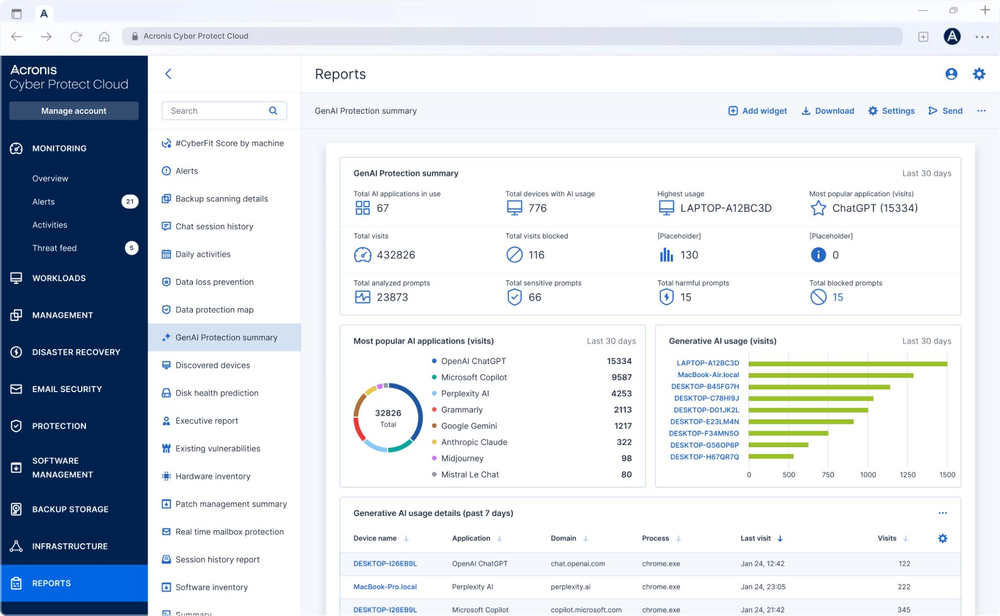
Source: Acronis
7. HPE Zerto Software
Best for: Near-synchronous replication for migration and DR
Strengths: Continuous data protection, one-click failover, no lock-in
Things to consider: Support since HPE deal; complex licensing; higher cost
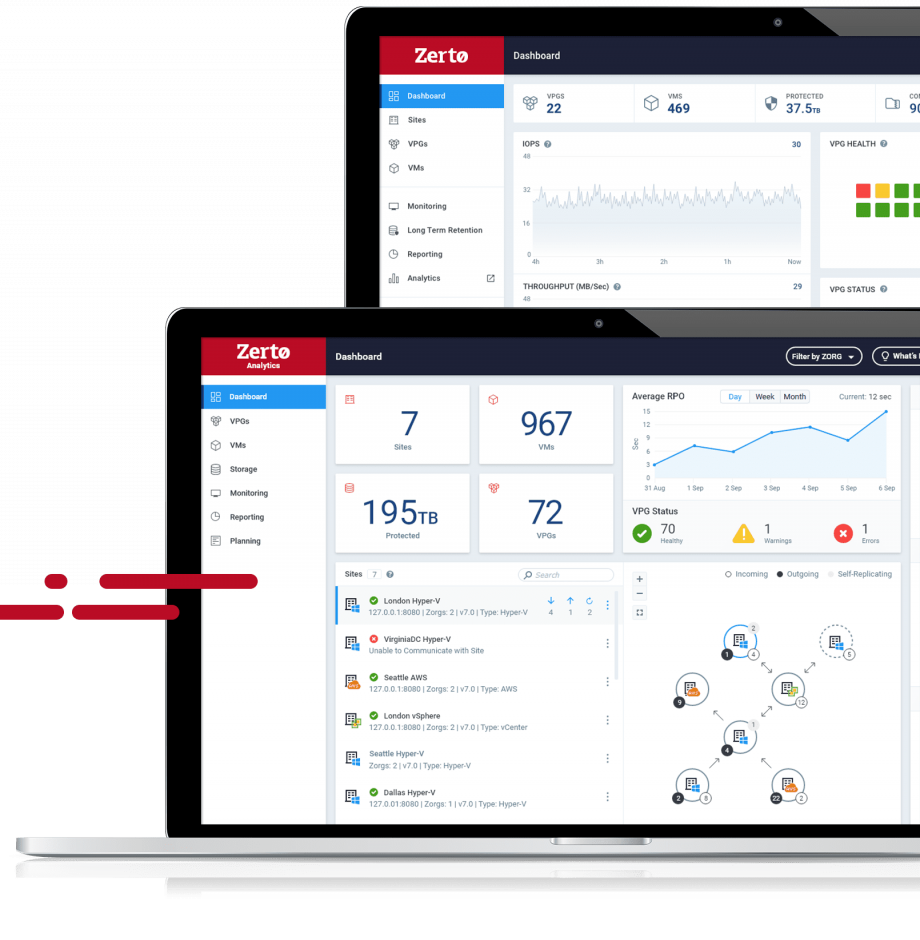
HPE Zerto Software is a software-only platform for disaster recovery, data mobility, and migrations across on-premises and cloud environments. It uses continuous data protection with near-synchronous replication and journal-based recovery so workloads can move with minimal downtime. It orchestrates failover, migration, and testing and supports migrations across hypervisors and multiple clouds.
Key features include:
- Continuous data protection: Provides always-on replication and journal-based recovery with RPOs of seconds and RTOs of minutes.
- Orchestration and automation: Enables failover, move, and test workflows and automates testing and compliance reporting.
- Non-disruptive testing: Runs DR testing and migration dry runs without affecting production.
- Real-time encryption detection: Alerts on suspicious encryption activity and maintains immutable journal copies.
- Software-only deployment: Deploys without additional hardware and avoids vendor lock-in.
- Analytics and scale: Provides monitoring and SLA reporting while managing large VM estates.
Limitations (as reported by users on PeerSpot):
- Support since acquisition: Some users report slower support responsiveness after the HPE acquisition.
- Licensing: Licensing is complex, and pricing is high.
- Backup scope: Dedicated backup functionality is less developed than specialist backup products.
- Platform focus: Coverage is strongest with VMware.
- Resync overhead: Changing replication direction can trigger lengthy delta syncs for very large VMs.
Source: Zerto
8. Vinchin Backup & Recovery
Best for: Cross-platform V2V migration across 15+ virtualization platforms
Strengths: Multi-hypervisor V2V, instant restore, agentless console
Things to consider: Reporting depth; some new distributions unsupported
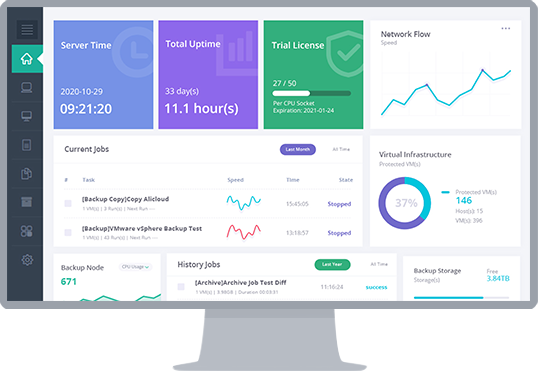
Vinchin Backup & Recovery is a backup and cross-platform recovery solution that moves VM workloads between more than 15 virtualization platforms, including VMware, XenServer, and KVM-based hypervisors. Its V2V migration lets teams switch workloads from one platform to another. It manages backups from diverse platforms through a single web console and automates the VM protection process.
Key features include:
- Multi-hypervisor V2V: Migrates VMs across 15+ platforms such as VMware, Hyper-V, Proxmox, XenServer, and other KVM-based hypervisors.
- Cross-platform instant restore: Runs a damaged VM on another platform from backups.
- Agentless unified console: Deploys as a VM or server and manages cross-platform recovery from one web-based console.
- Automated VM protection: Automates backup and V2V processes with scheduled backups.
- Flexible storage targets: Stores data on premises, offsite, and in the cloud.
- Long-term retention: Keeps historical data through scheduled backups for centralized restore.
Limitations (as reported by users on G2):
- Reporting depth: Reporting and alert customization are limited.
- Platform coverage gaps: Some newer distributions and configurations are not supported.
- Documentation: Documentation for advanced configurations could be more detailed.
- Setup for new users: Initial setup and some advanced settings can be confusing.
- Role management: Transferring jobs between user groups and roles is limited.
Source: Vinchin
Conclusion
Successful VM migration depends on maintaining security controls throughout the migration lifecycle rather than treating security as a one-time checkpoint. Organizations should combine workload discovery, vulnerability assessment, encryption, network segmentation, integrity verification, and automated recovery to protect workloads before, during, and after migration. By adopting security solutions that automate policy enforcement, reduce human error, and provide continuous visibility across hybrid and multi-cloud environments, enterprises can minimize migration risk while ensuring business continuity and compliance.